

- operational controls
- risk parameter updates
- cap and allocation limits
- rewards and timelock workflows
Navigation
The vault manager UI is organized into tabs:OverviewCollateralRatesAllocationSettingsPrincipal CapsTimelocksRewards
- inline field edits
- row-level
Resetwhen a row has unsaved changes - a
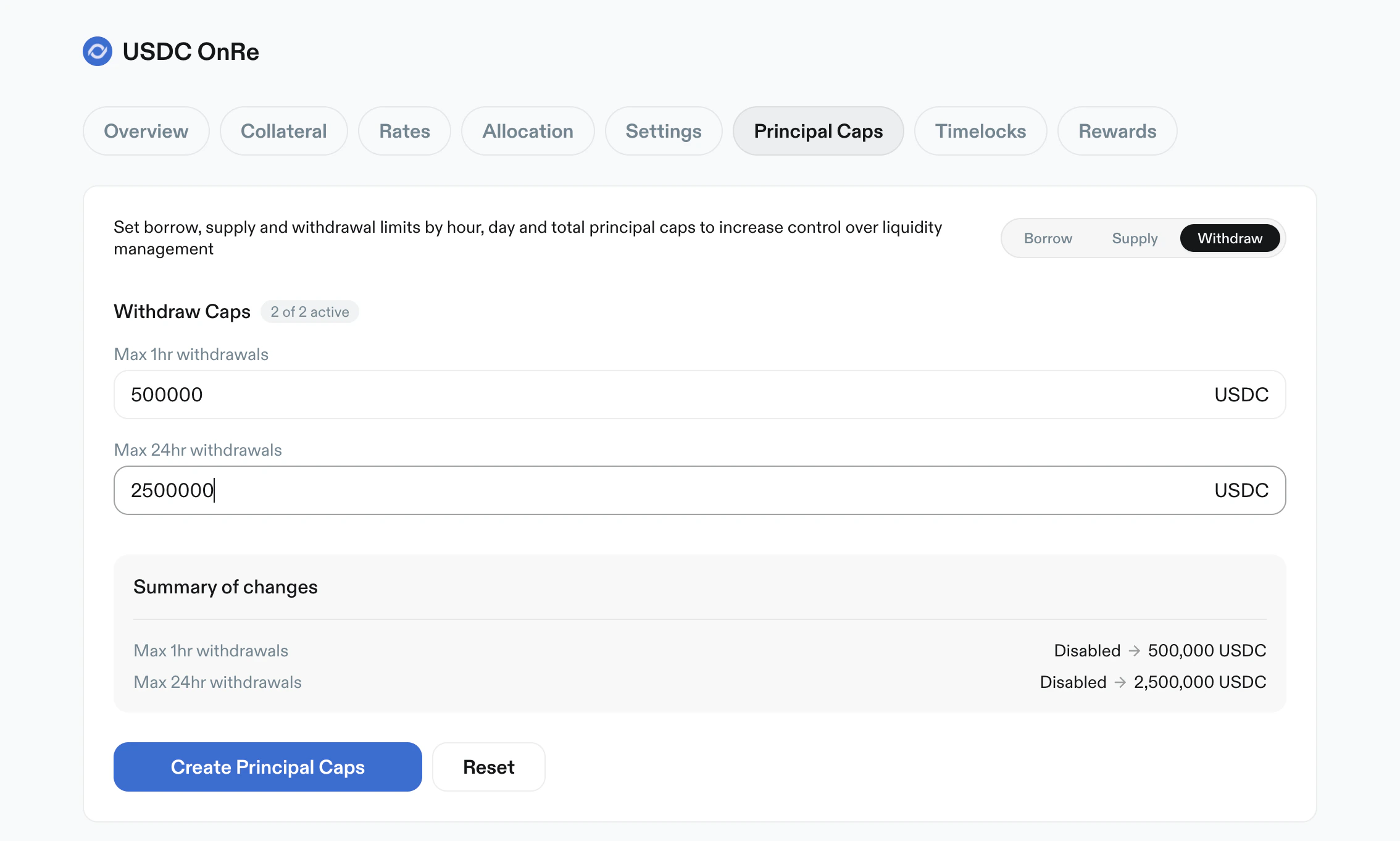
Summary of changespanel - a primary apply action (
Save changes,Create Limits, orCreate Principal Caps) - a page-level
Resetaction
Overview
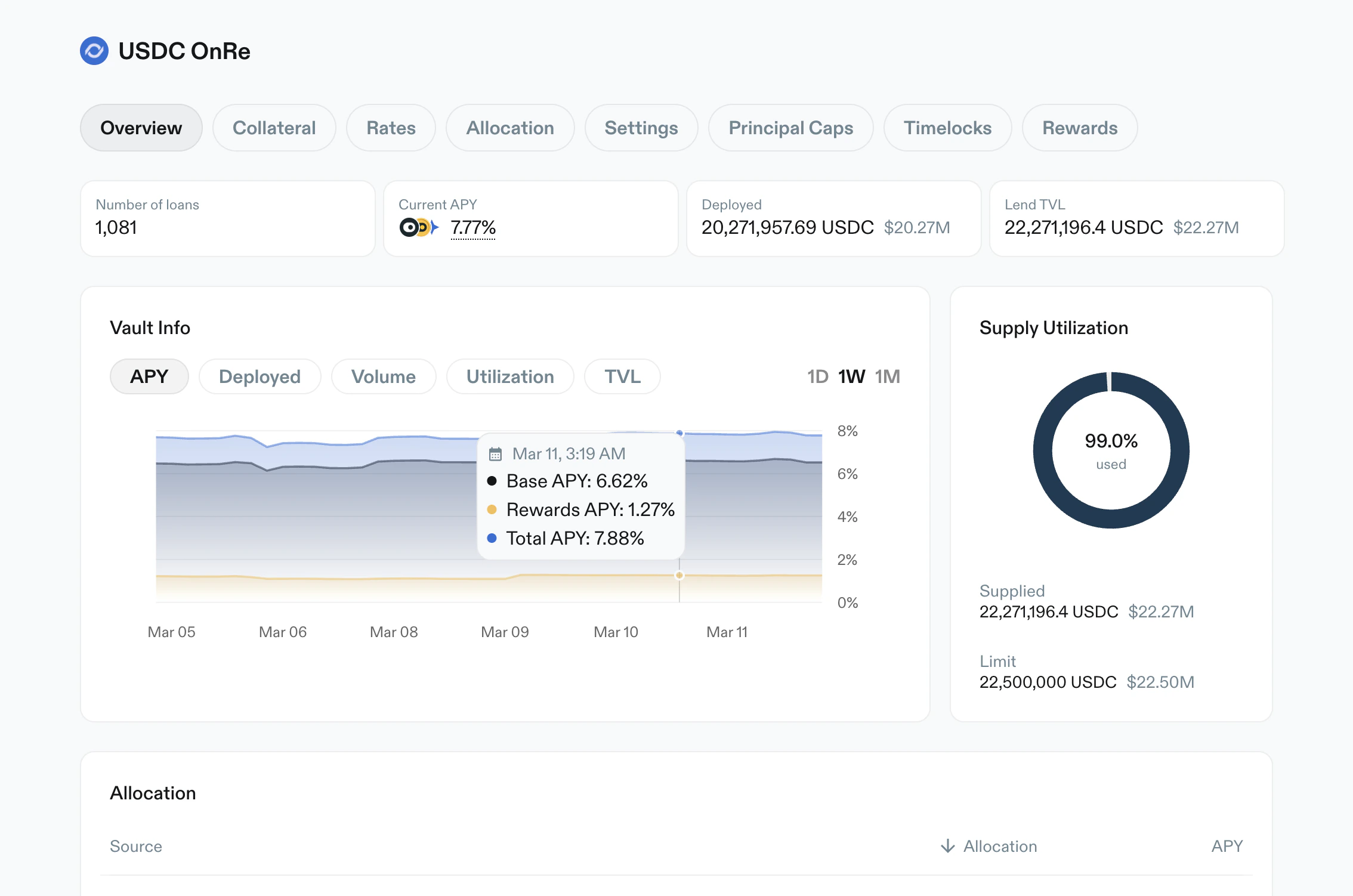
Purpose: high-level monitoring and vault metadata. Key elements:- Metric cards:
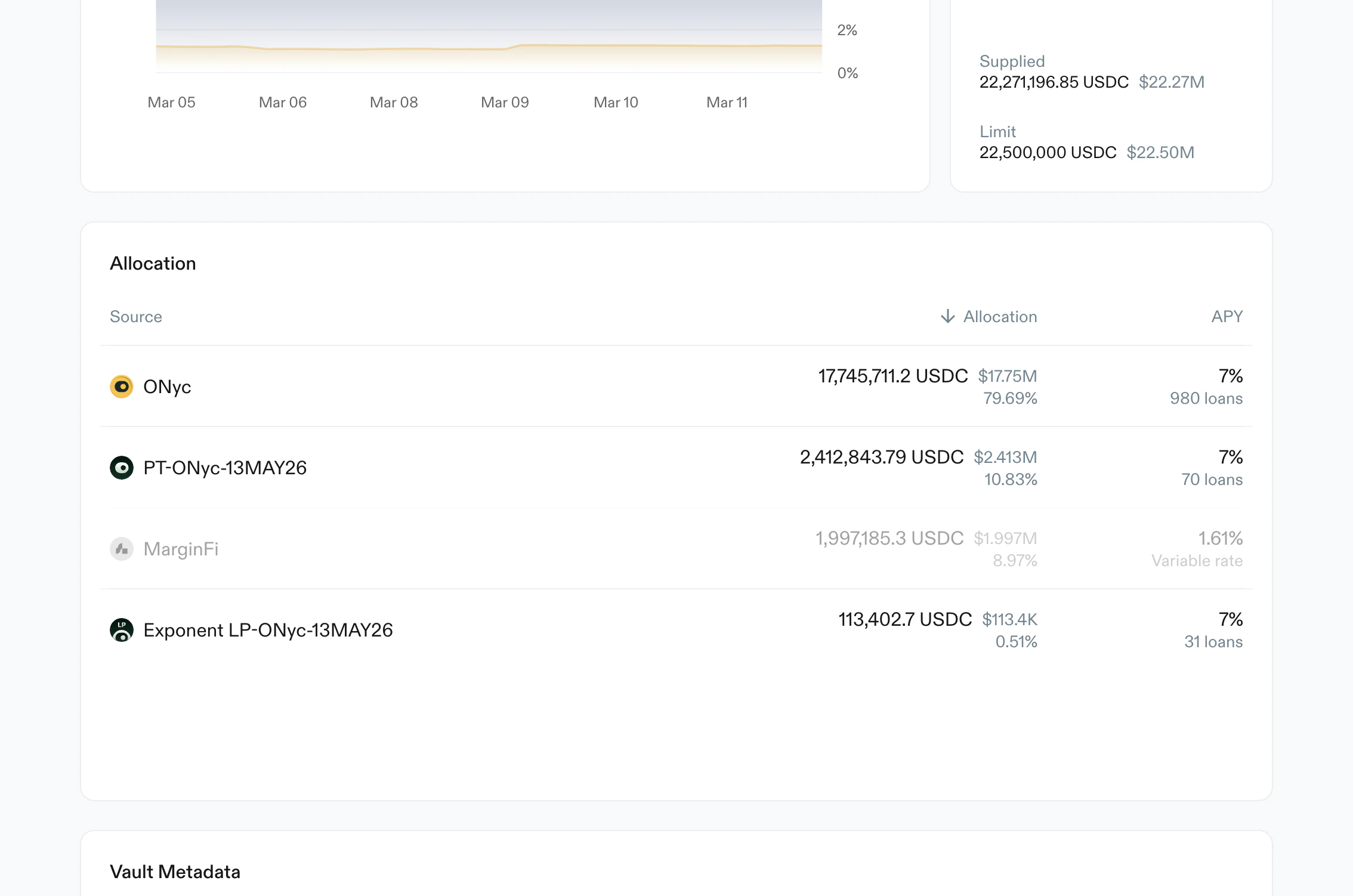
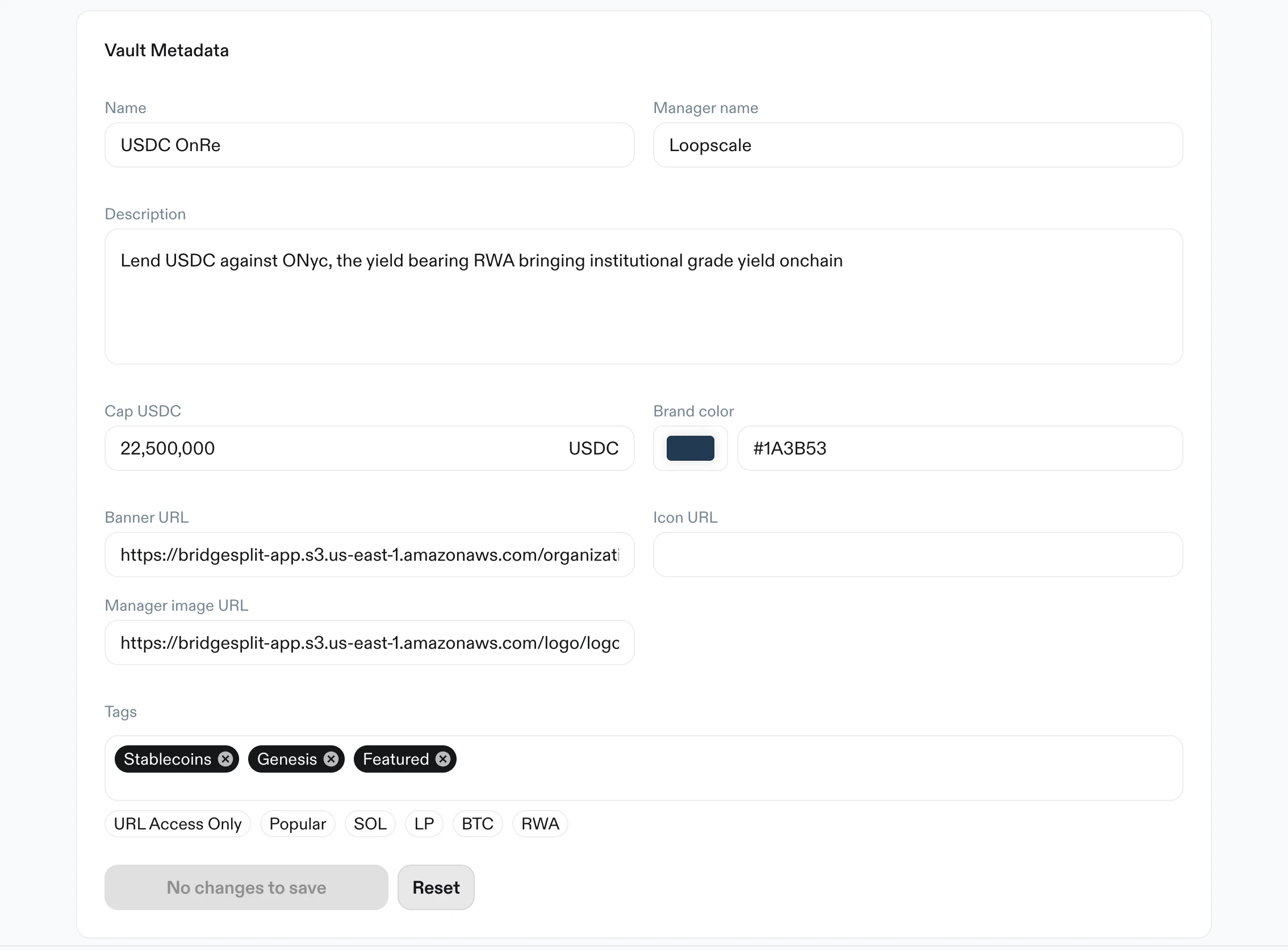
Number of loans,Current APY,Deployed,Lend TVL Vault Infochart with metric selectors (APY,Deployed,Volume,Utilization,TVL) and time ranges (1D,1W,1M)Supply Utilizationdonut with used %, supplied amount, and vault limitAllocationtable with source, allocation amount/share, APY context, and paginationVault Metadataform for name, manager name, description, cap, branding, asset URLs, and tags
Collateral
Purpose: define allowed collateral assets and core risk limits per asset. Key elements:- Warning: increasing LTV triggers a 24-hour cooldown
+ Add collateralaction- Search and filter controls
- Table fields per token:
LTVLiquidation LTV- Delete action
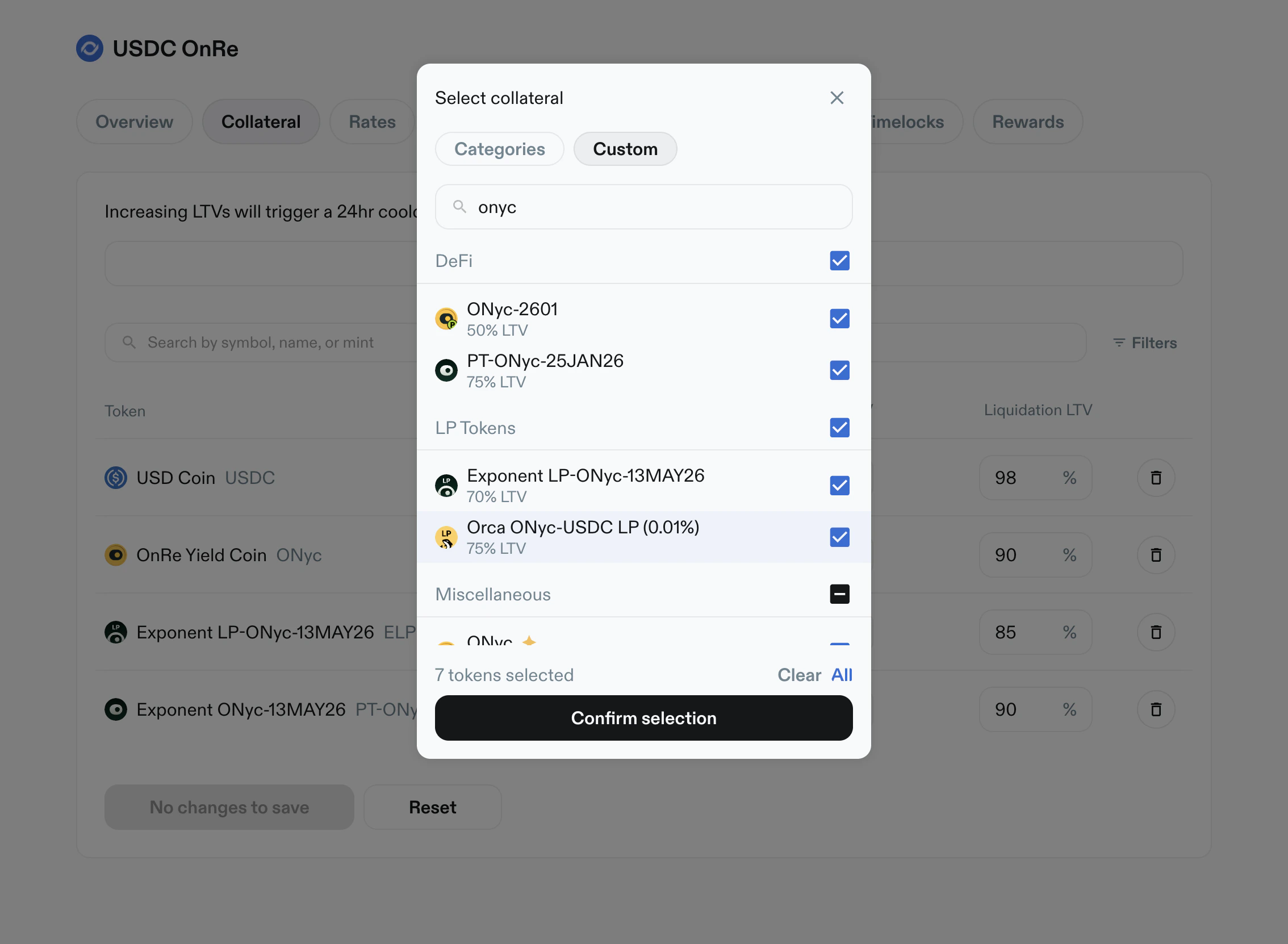
- Add-collateral modal:
- category and custom views
- token/address search
- multi-select with
Clear,All, andConfirm selection
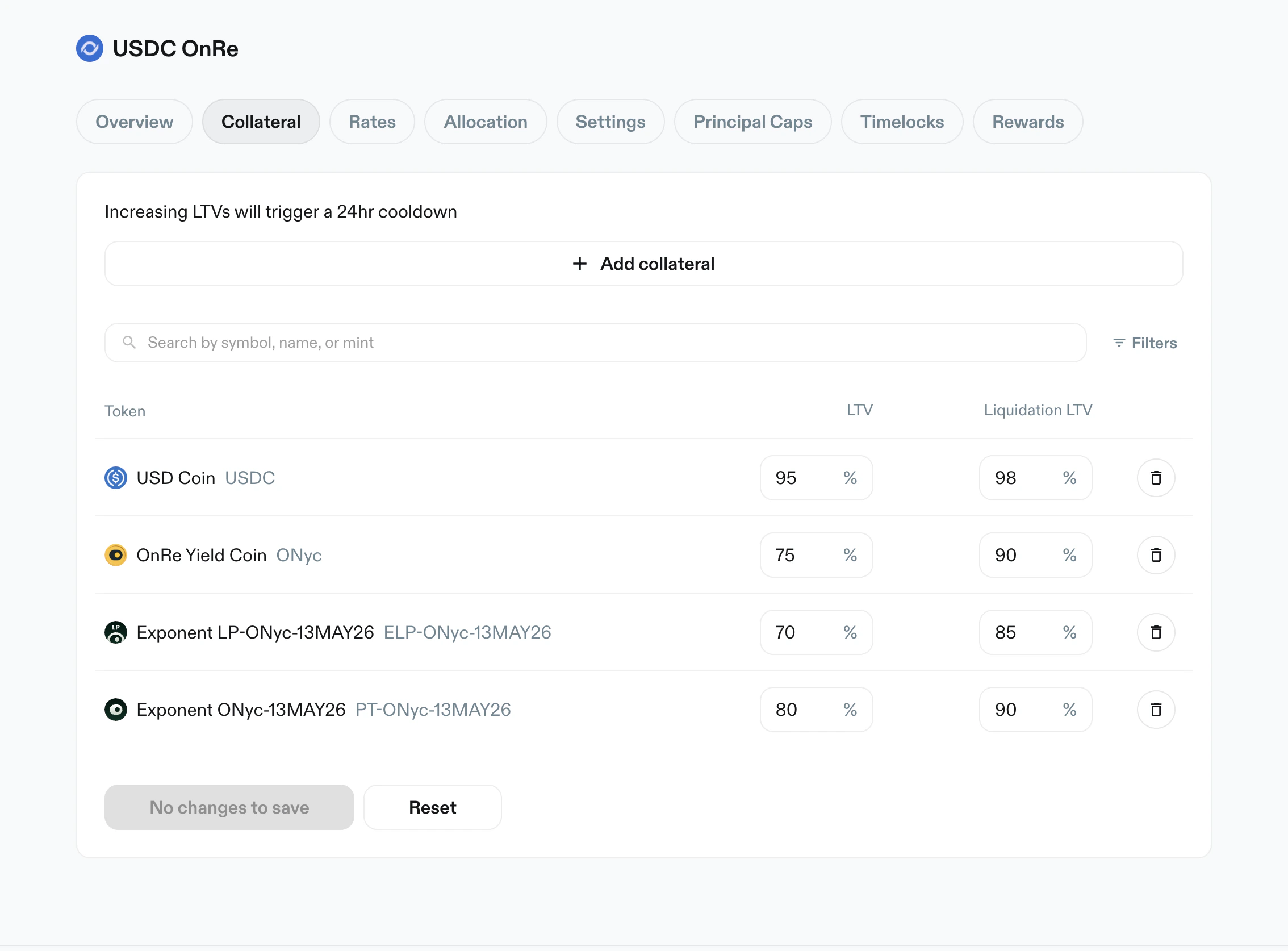
LTV and Liquidation LTV values.
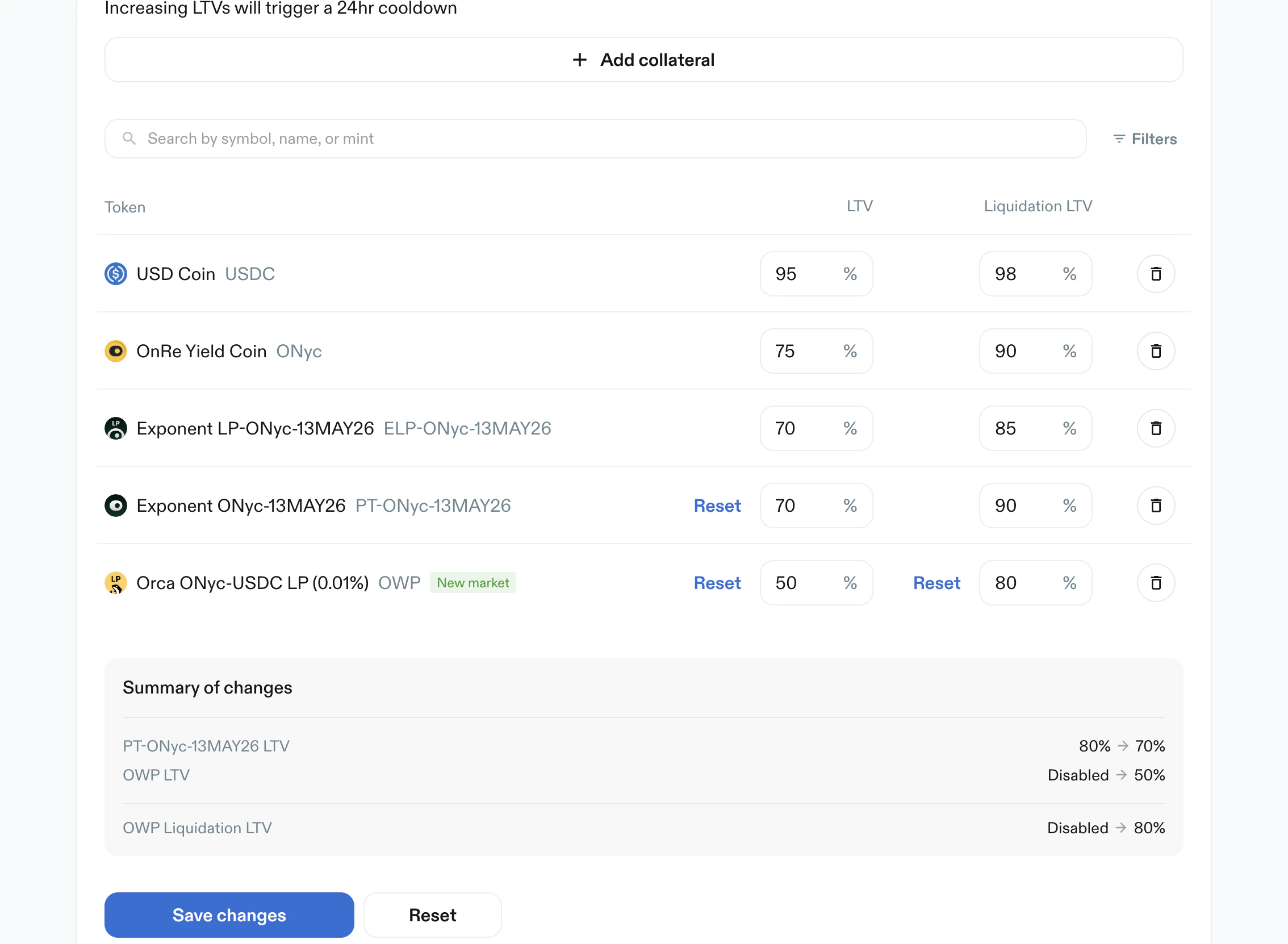
Save changes action.
Rates
Purpose: set APY by token and tenor. Key elements:- Search and filters
- Token table with tenor columns:
1 day APY1 week APY1 month APY3 months APY
- Each tenor can be set to:
- a numeric percent value
Disabled
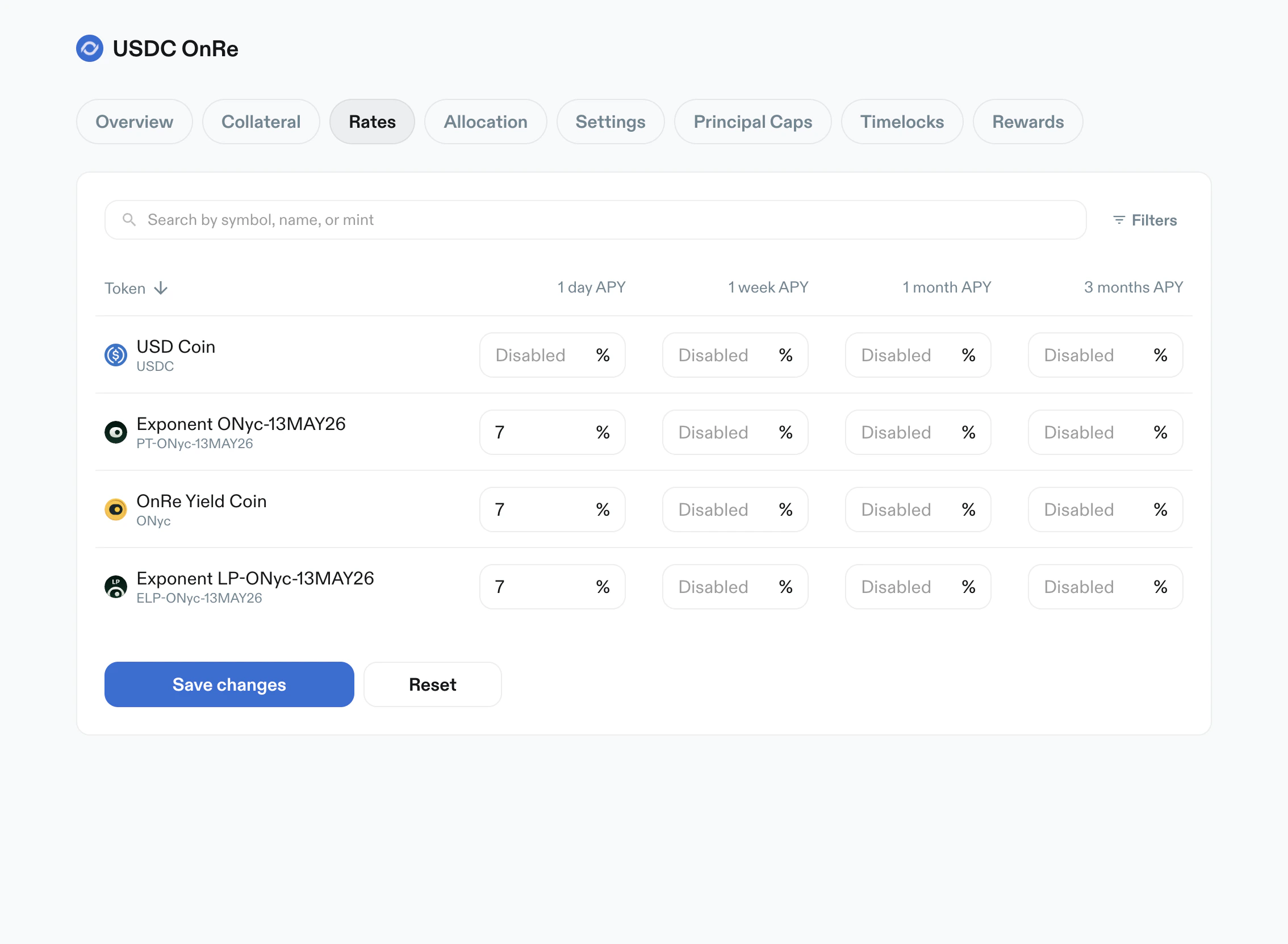
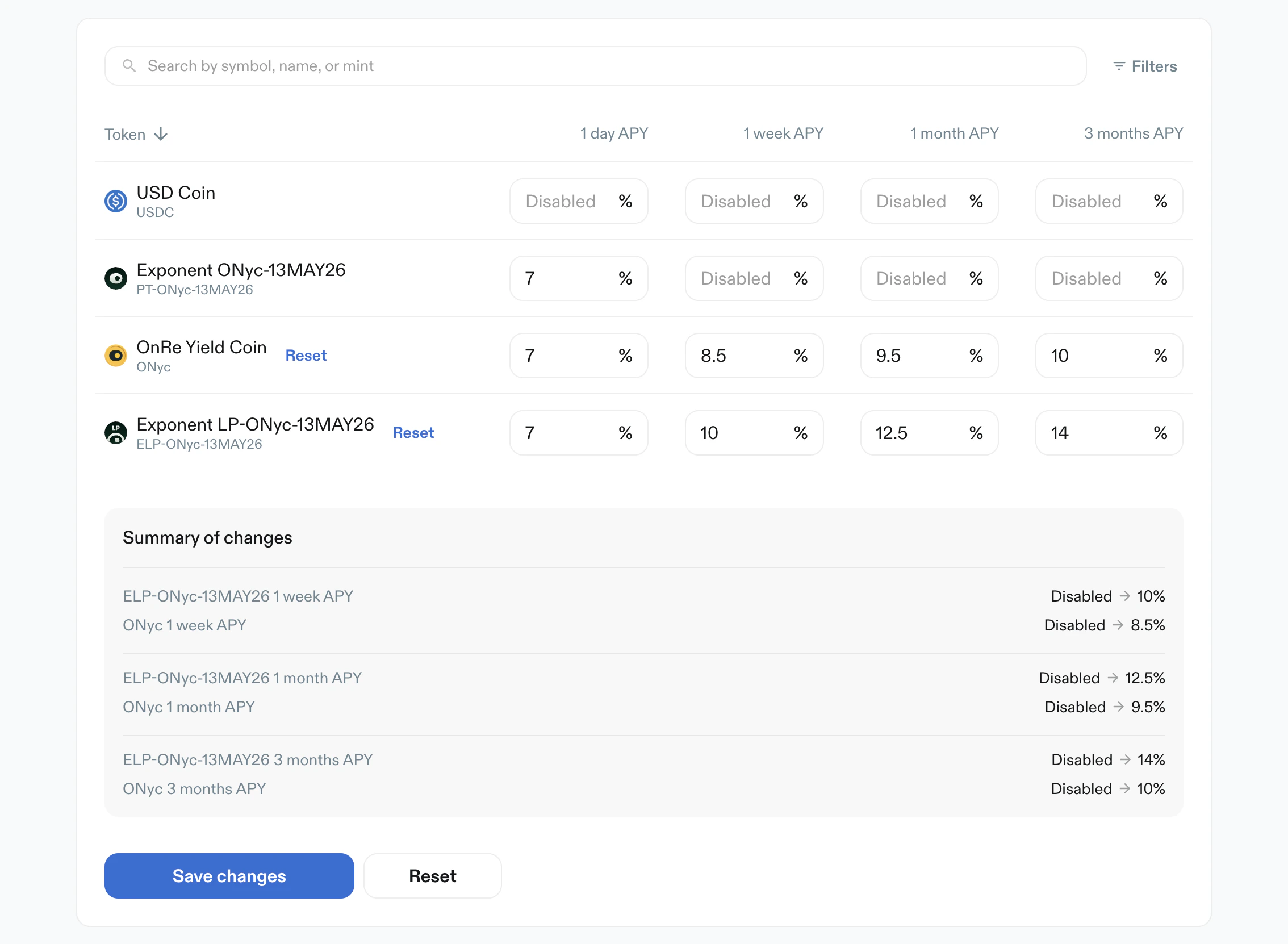
Disabled to active APY values.
Allocation
Purpose: cap max allocation per token. Key elements:- Warning: increasing allocation triggers a 24-hour cooldown
- Search and filters
Max Allocation %per token- Values can be numeric or
Disabled - Primary action:
Create Limits
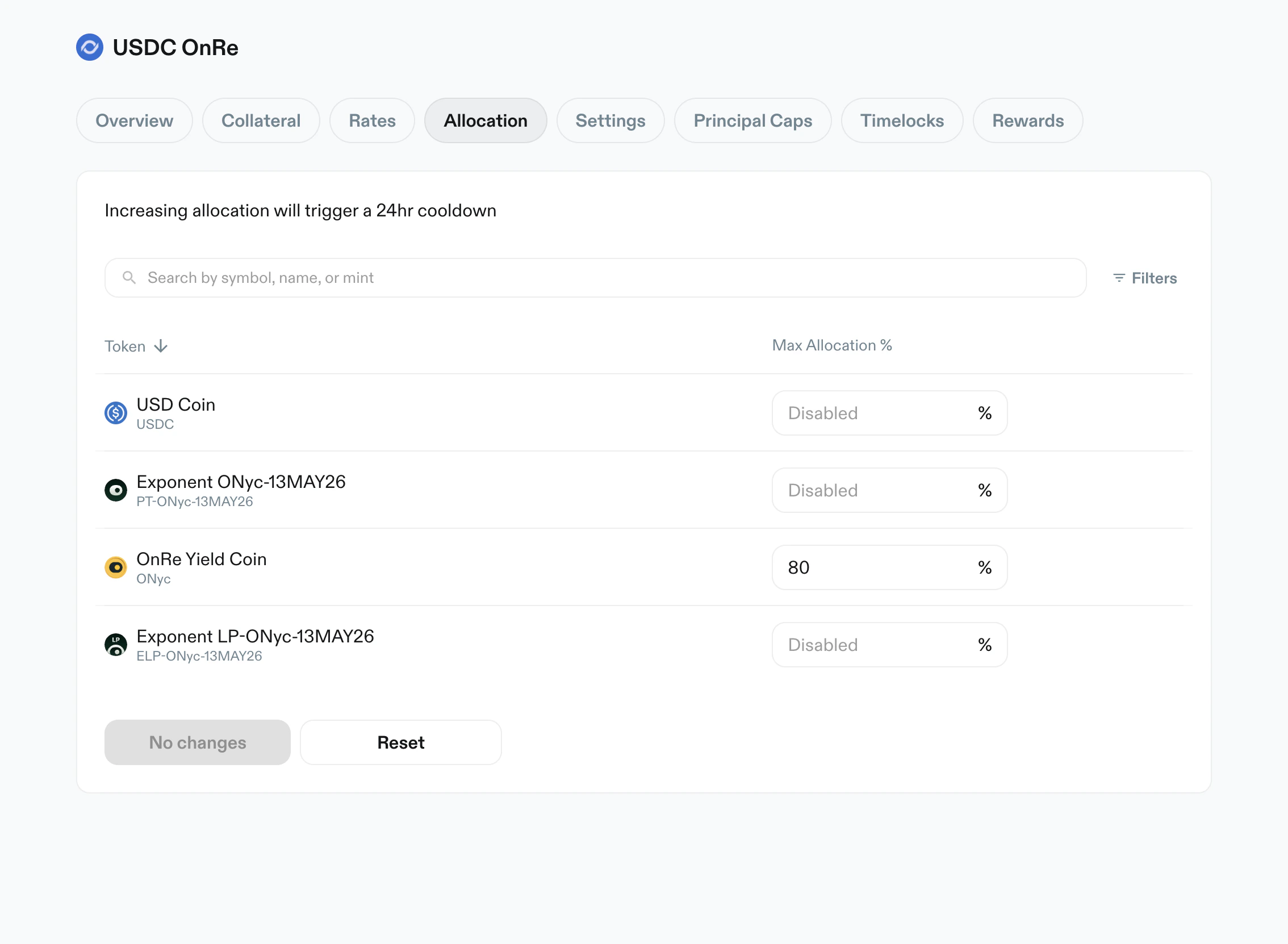
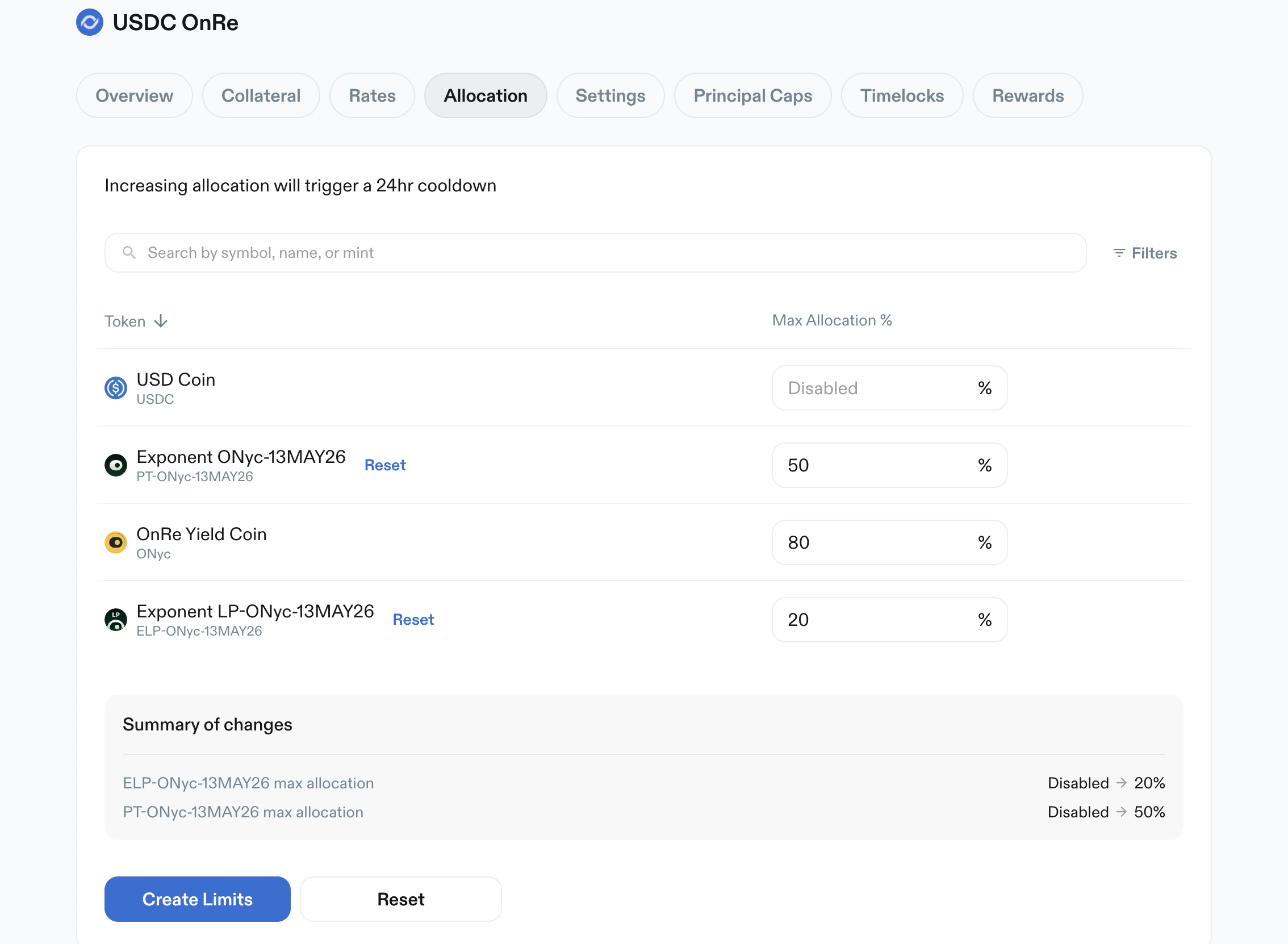
Create Limits apply action.
Settings
Purpose: configure vault-level operating and fee behavior. Key elements:- Warning: settings changes take effect immediately
Originations status:AcceptingorClosedIdle capitalrouting (for exampleMarginFiorNone)- Editable rate and fee fields:
Liquidity bufferOrigination feeInterest feeMax early unstake fee
Max origination sizewith principal symbol suffix (e.g. USDC)- Operational actions:
Disable vault deposits- fee claim state (
No fee to claimwhen unavailable)
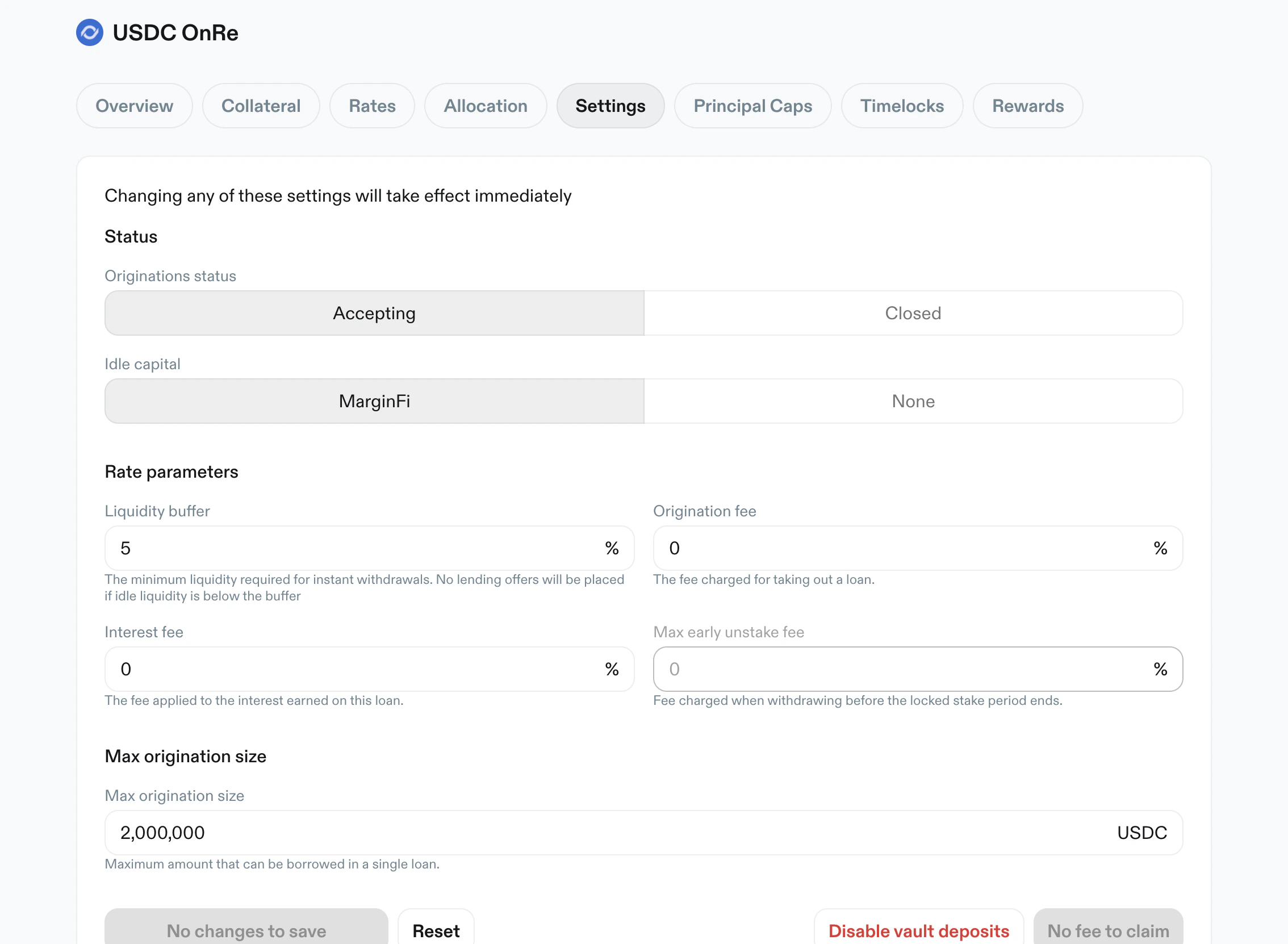
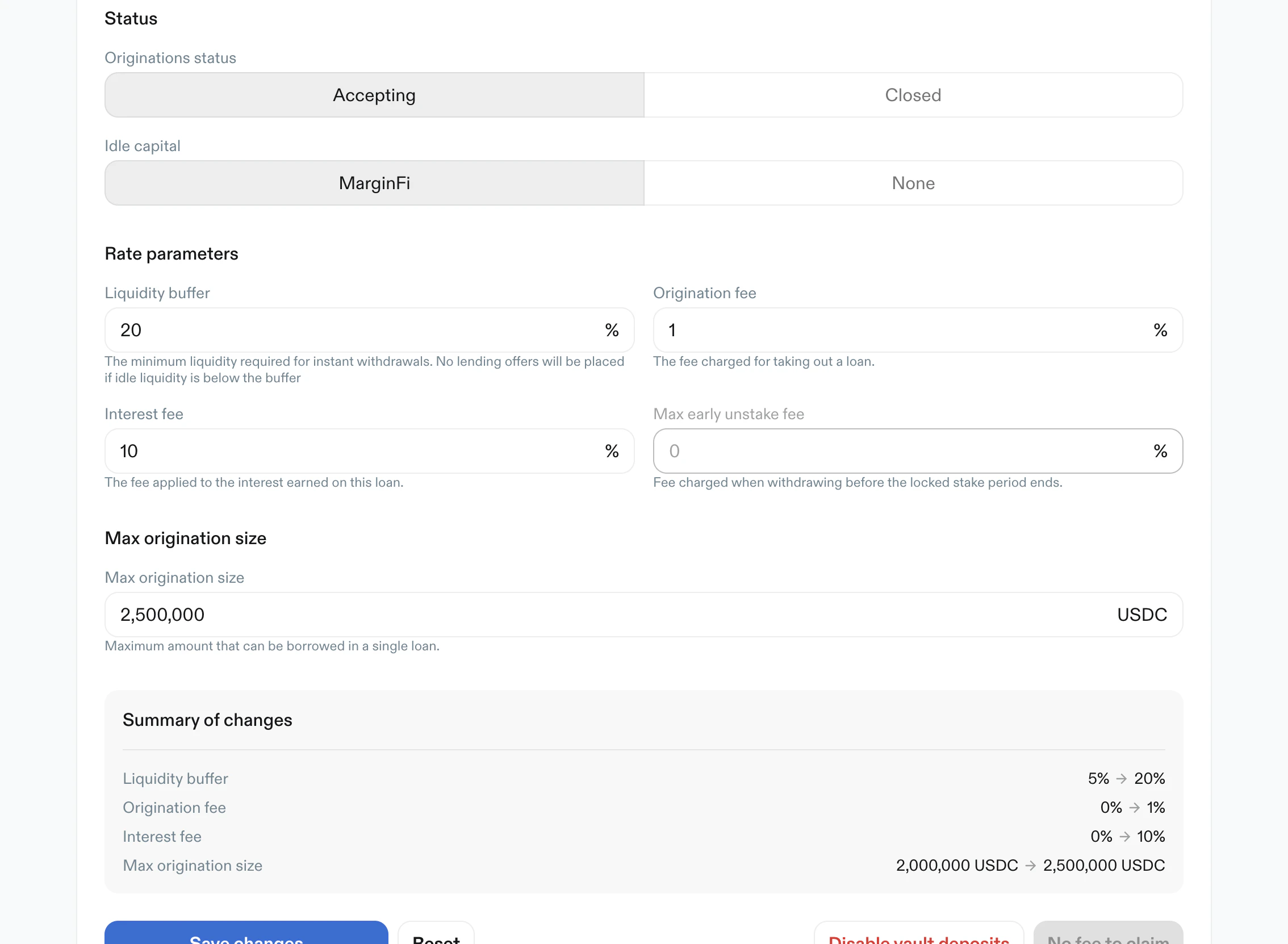
Principal Caps
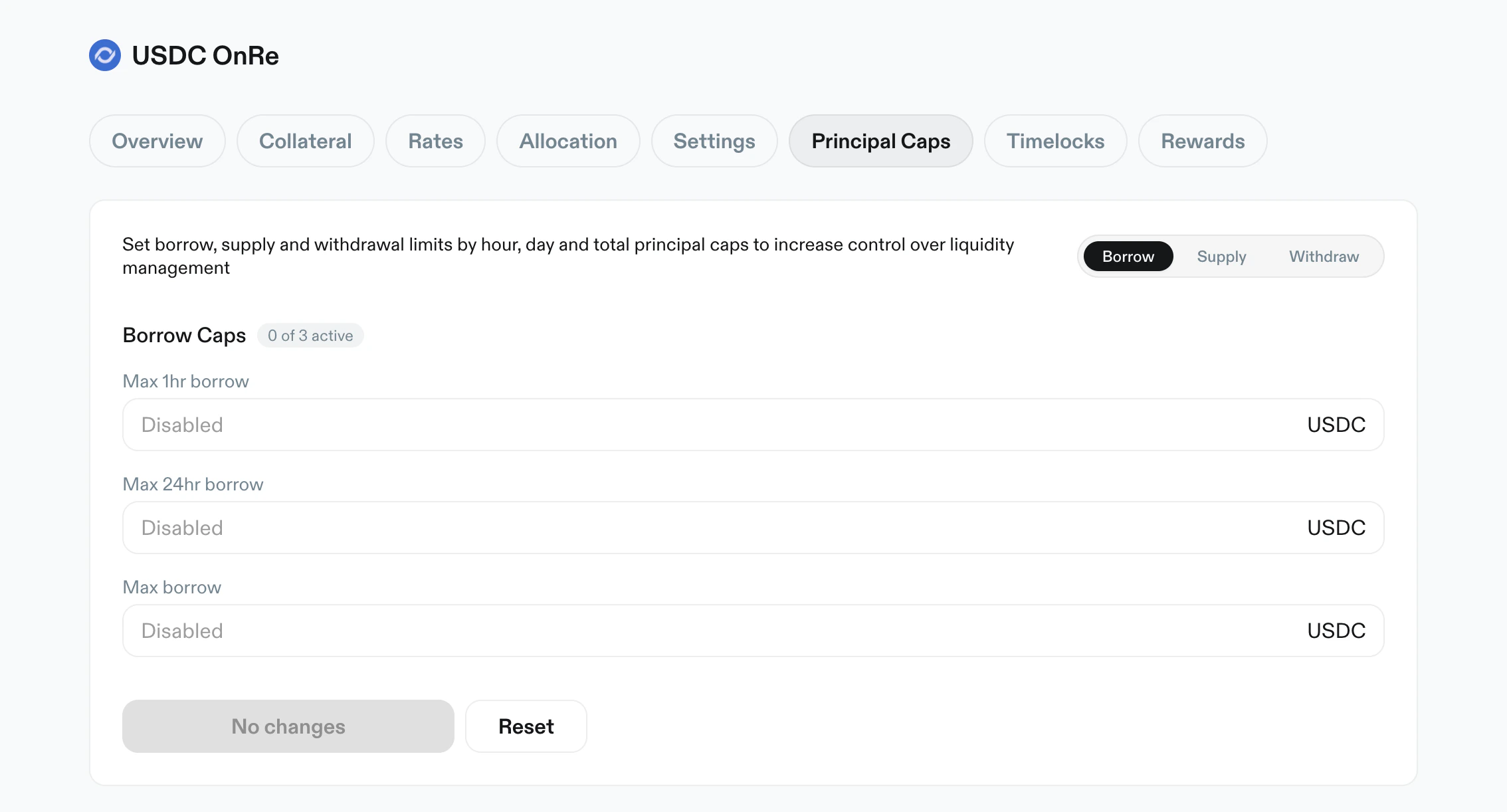
Purpose: control borrow/supply/withdraw throughput over rolling windows. Key elements:- Scope toggle:
BorrowSupplyWithdraw
- Typical cap inputs:
Max 1hrMax 24hr- optional max outstanding cap
Disabledis supported for unset caps- Usage progress bars show utilized value and percentage for active caps
- Primary action:
Create Principal Caps
Timelocks
Purpose: inspect and filter scheduled and historical manager actions. Key elements:- Status filters:
PendingExecutedCancelled
Include Instantfilter- Entry cards include:
- status badge
- action type badge (e.g.
Update LTV,Add Collateral) - shortened reference
- relative and absolute timestamps
- expand/collapse caret
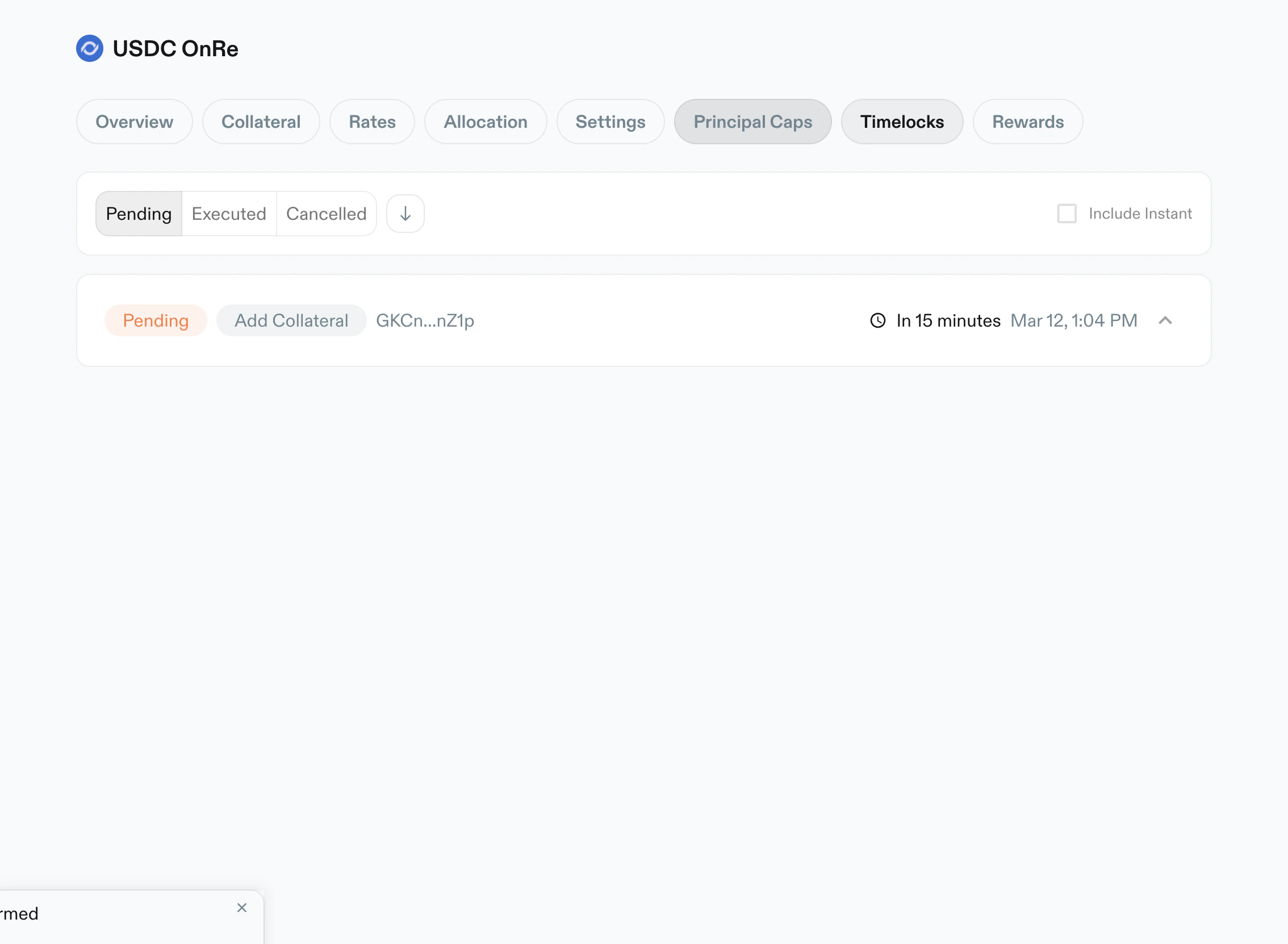
Pending, showing scheduled updates and time remaining.
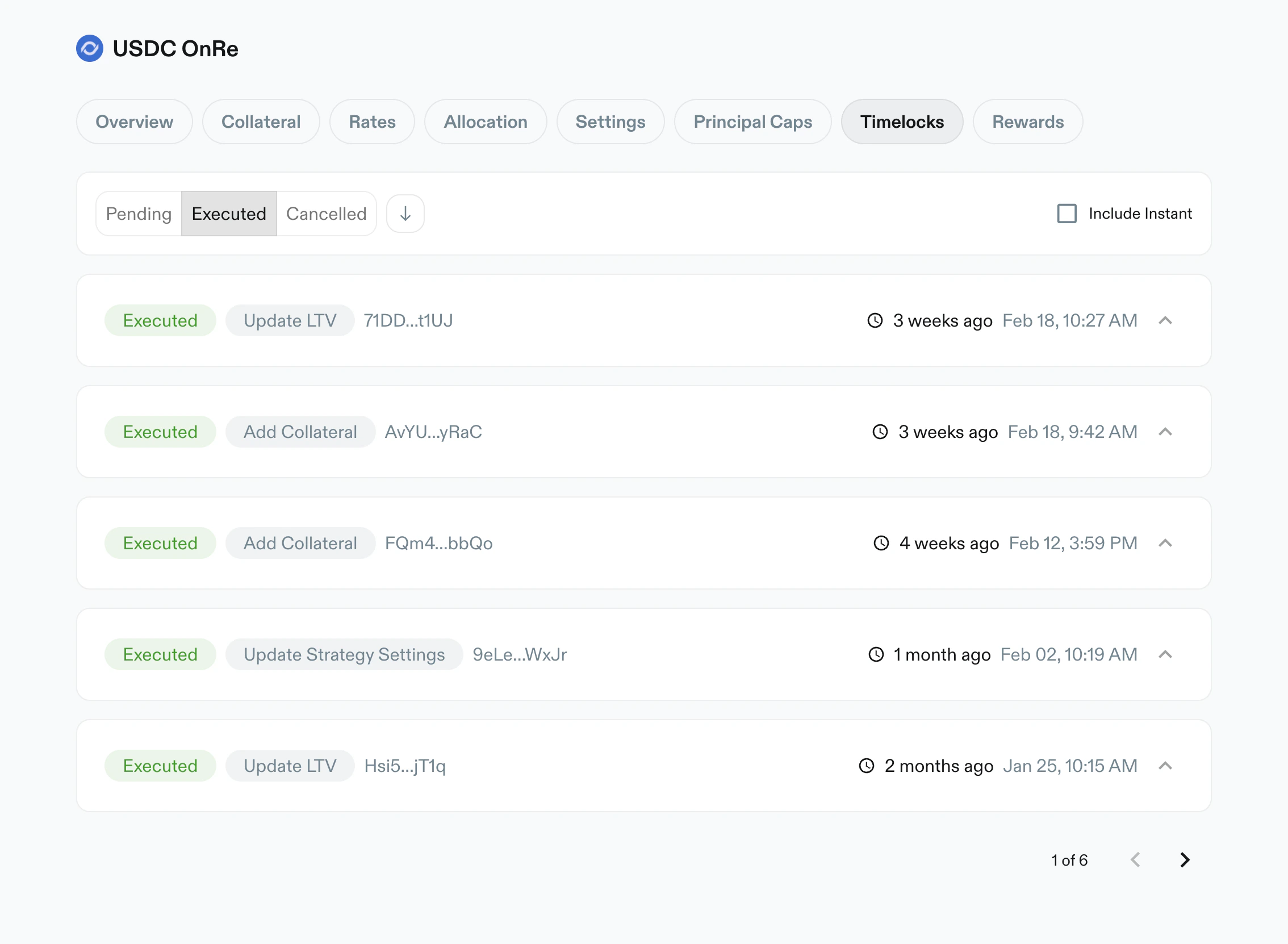
Executed, listing completed manager actions with timestamps.
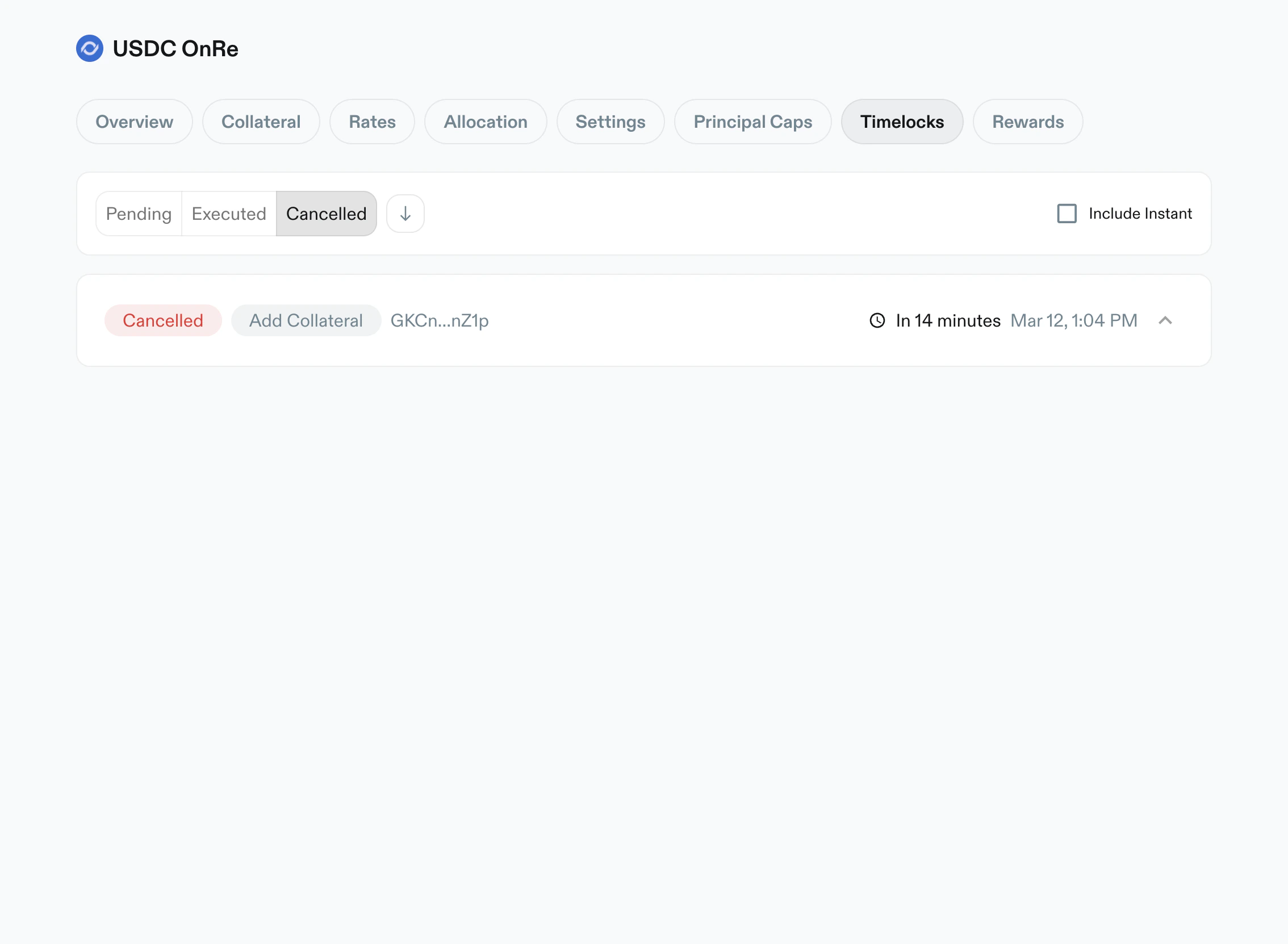
Cancelled, showing aborted actions and history metadata.
Rewards
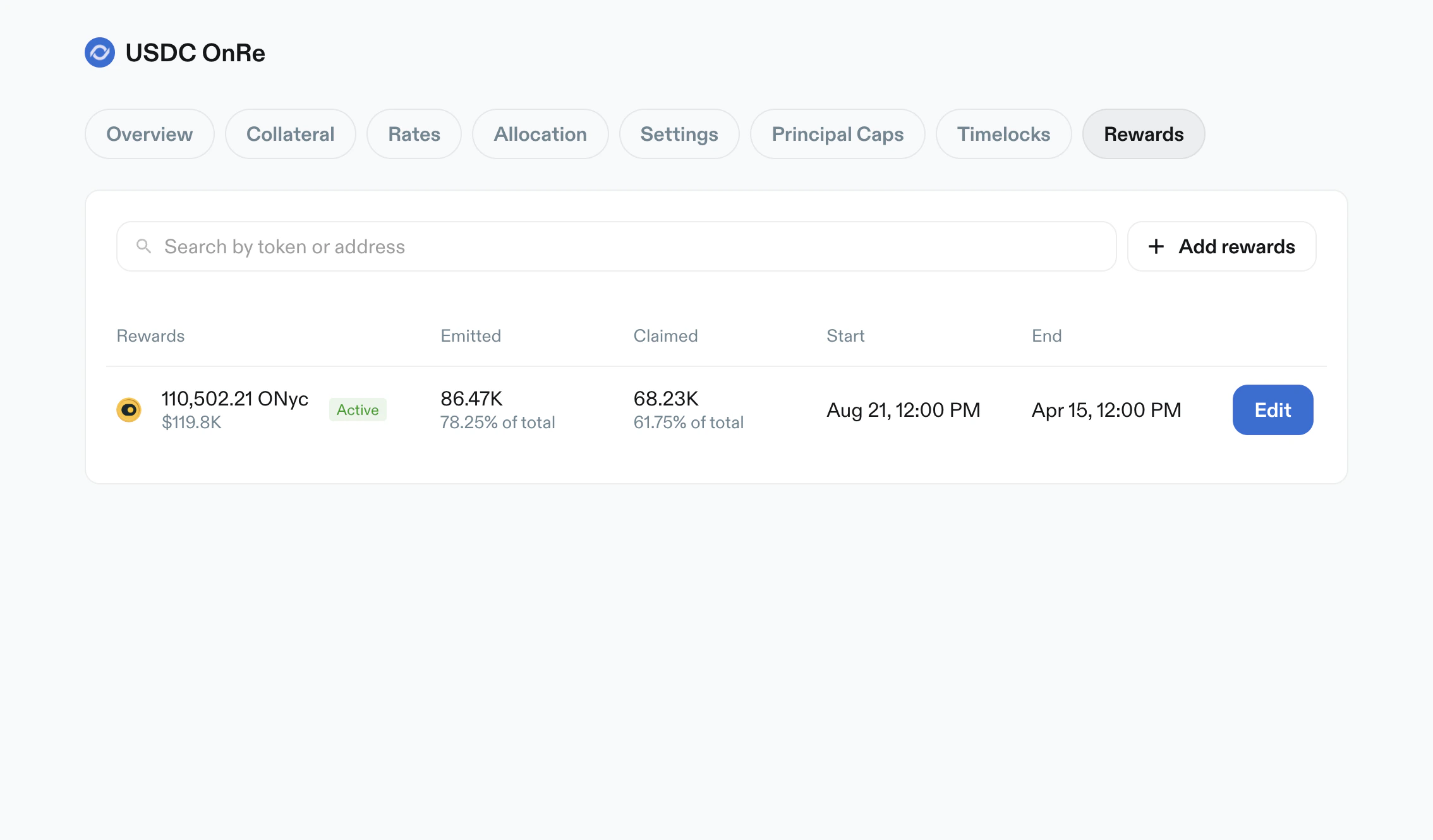
Purpose: manage reward schedules and emissions for vault depositors. Key elements:- Search by token/address
+ Add rewardsaction- Rewards table columns:
RewardsEmittedClaimedStartEnd- row action (
Edit)
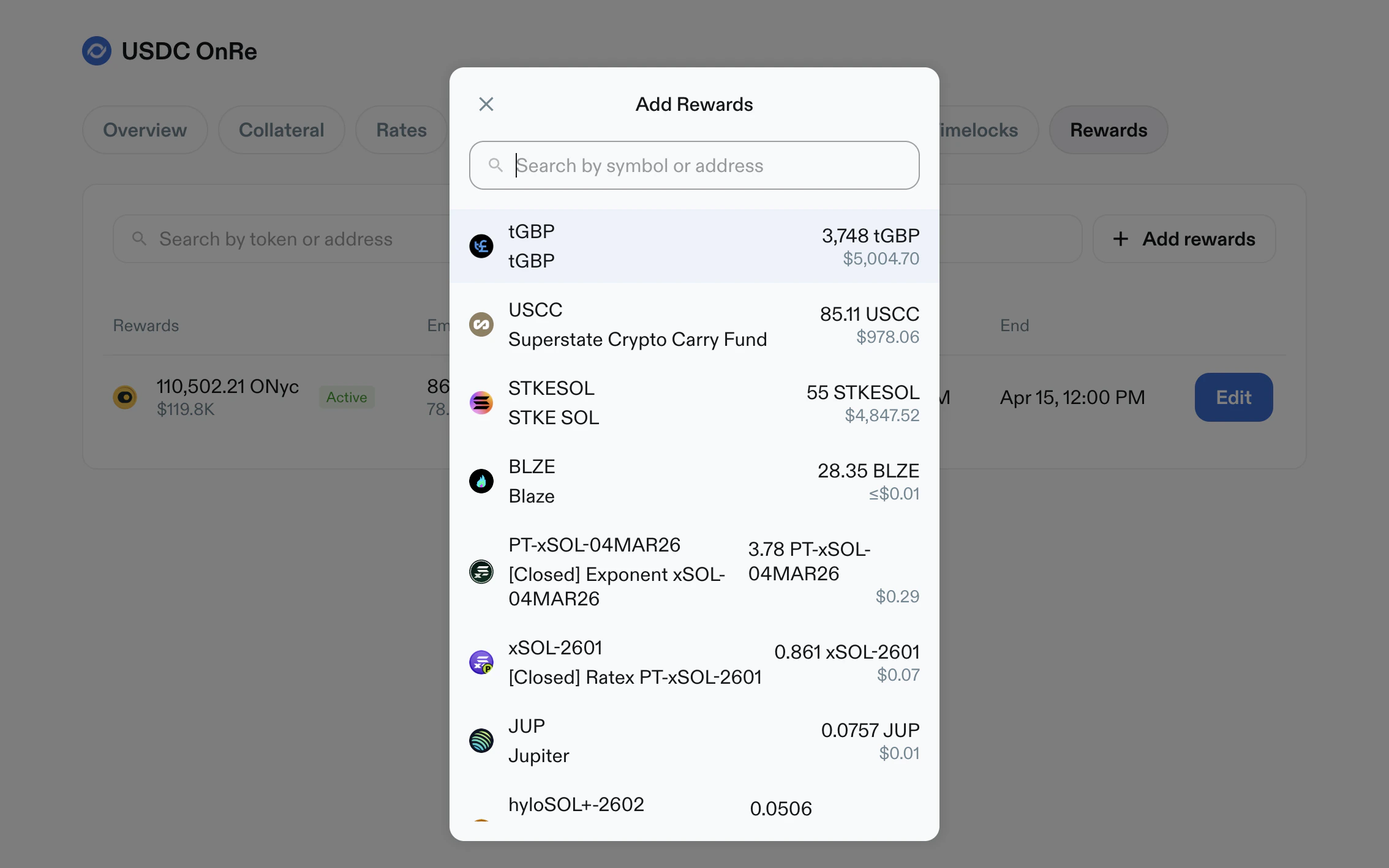
- Add Rewards modal:
- token search
- selectable wallet token list with amount and USD estimate
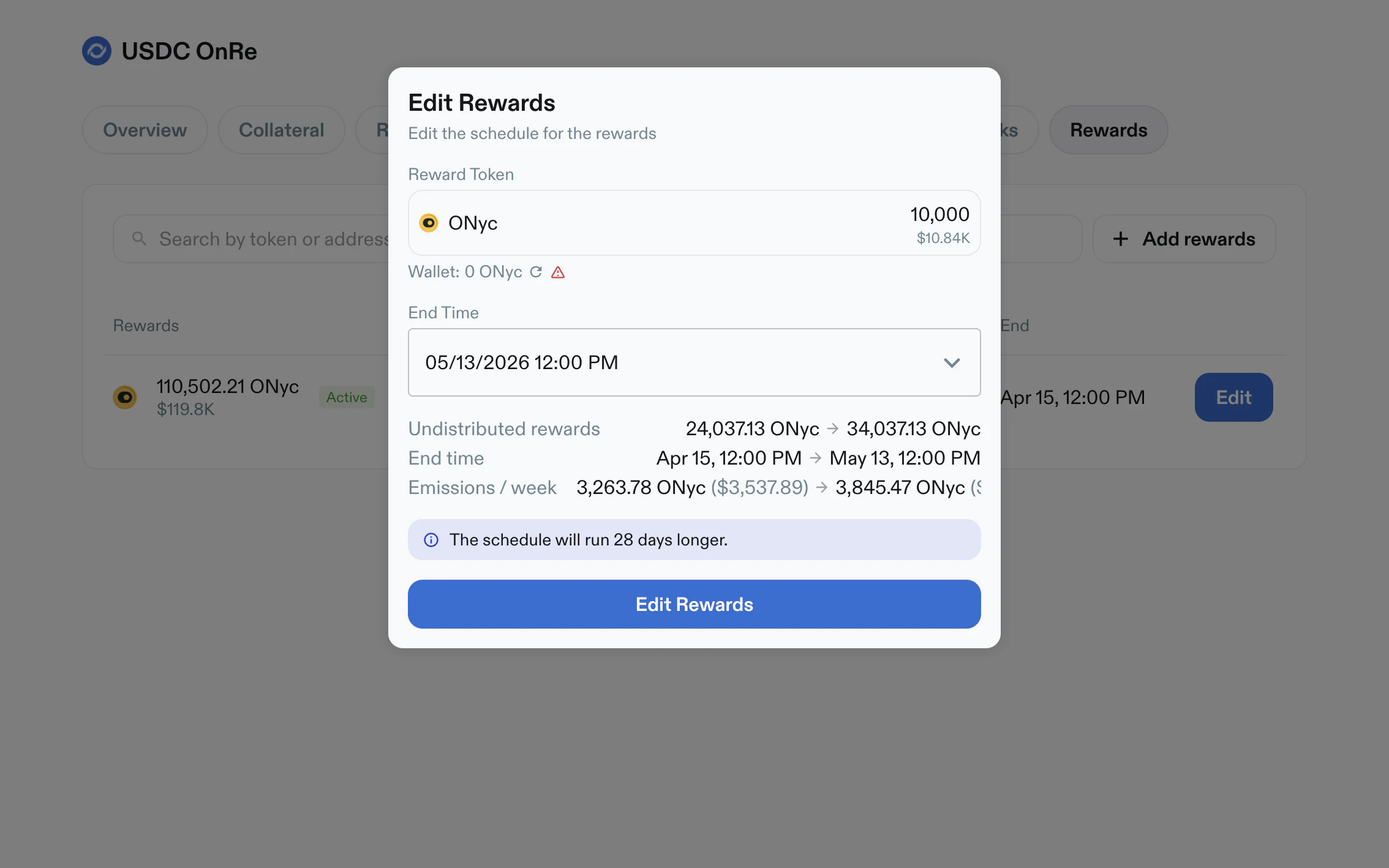
- Edit Rewards modal:
- reward token summary and wallet balance
- editable schedule end time
- computed change preview (undistributed rewards, end time, emissions/week)
- warning/info banners for historical schedule edits
Operational Notes
- Higher-risk changes are surfaced through cooldown and timelock flows.
- Unsaved edits are explicitly summarized before apply.
- Disabled states are represented in-table (for example
Disabledcaps or APY tenors). - Pagination appears in large lists (collateral, rates, allocation, timelocks).