> ## Documentation Index
> Fetch the complete documentation index at: https://docs.loopscale.com/llms.txt
> Use this file to discover all available pages before exploring further.
# Vault Manager UI Guide
This page documents the Vault Manager interface used to configure a Loopscale vault.
Use it as the UI reference for:
* operational controls
* risk parameter updates
* cap and allocation limits
* rewards and timelock workflows
## Navigation
The vault manager UI is organized into tabs:
* `Overview`
* `Collateral`
* `Rates`
* `Allocation`
* `Settings`
* `Principal Caps`
* `Timelocks`
* `Rewards`
Most edit tabs follow the same pattern:
* inline field edits
* row-level `Reset` when a row has unsaved changes
* a `Summary of changes` panel
* a primary apply action (`Save changes`, `Create Limits`, or `Create Principal Caps`)
* a page-level `Reset` action
## Overview
Purpose: high-level monitoring and vault metadata.
Key elements:
* Metric cards: `Number of loans`, `Current APY`, `Deployed`, `Lend TVL`
* `Vault Info` chart with metric selectors (`APY`, `Deployed`, `Volume`, `Utilization`, `TVL`) and time ranges (`1D`, `1W`, `1M`)
* `Supply Utilization` donut with used %, supplied amount, and vault limit
* `Allocation` table with source, allocation amount/share, APY context, and pagination
* `Vault Metadata` form for name, manager name, description, cap, branding, asset URLs, and tags
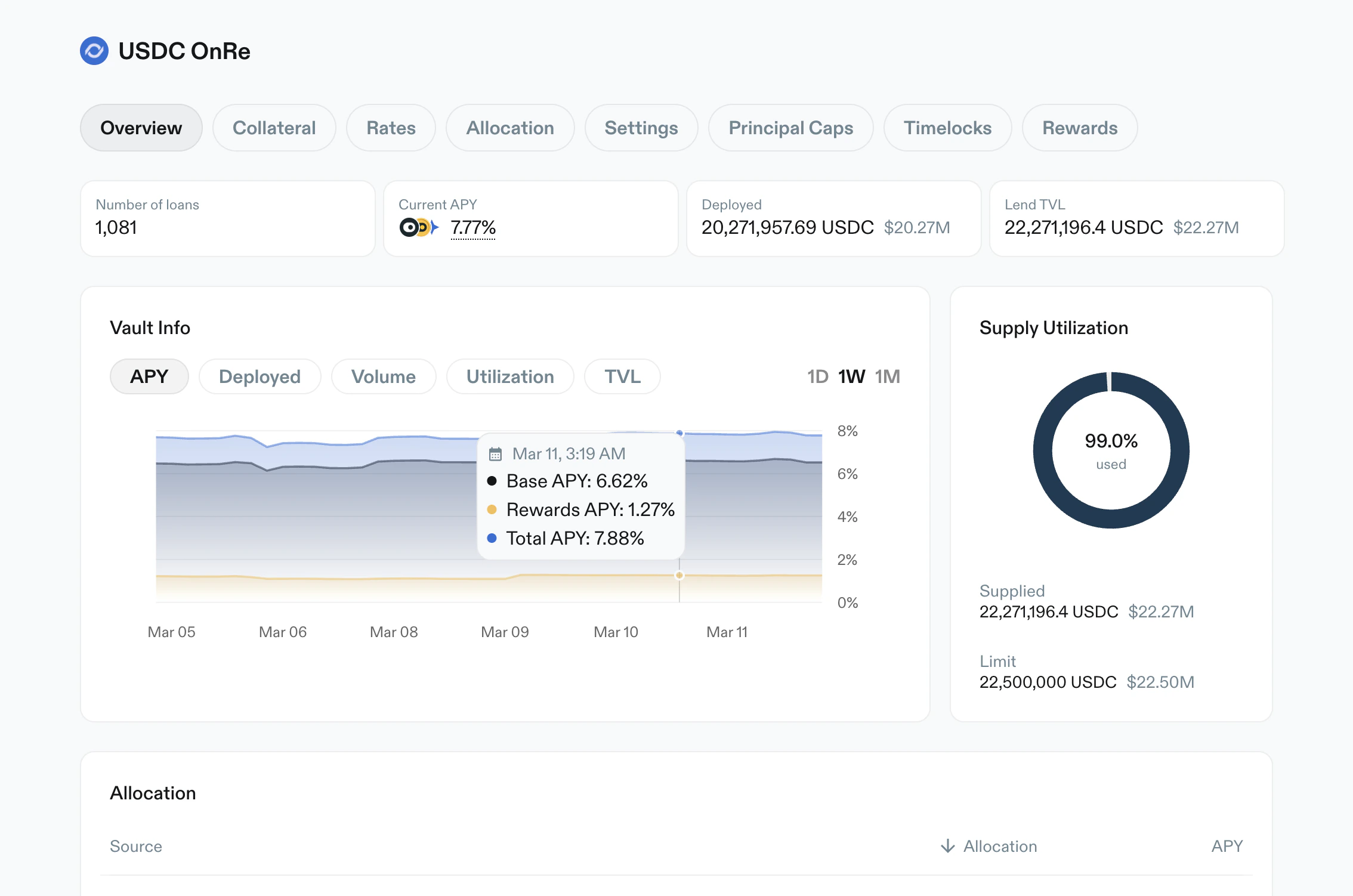 *Overview tab with KPI cards, vault info trend chart, and supply utilization.*
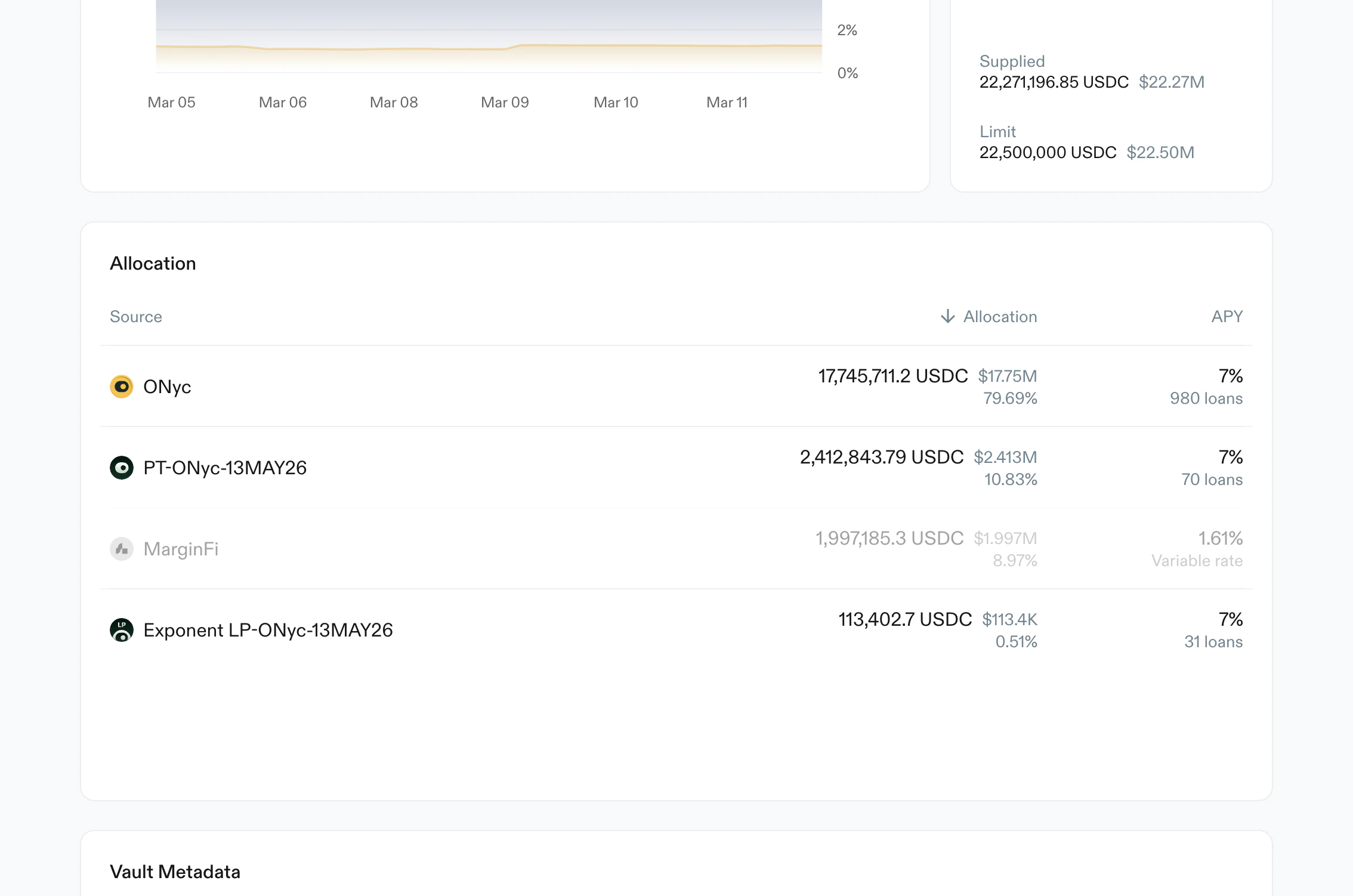 *Allocation subsection showing source-level deployed balances, share percentages, APY, and pagination.*
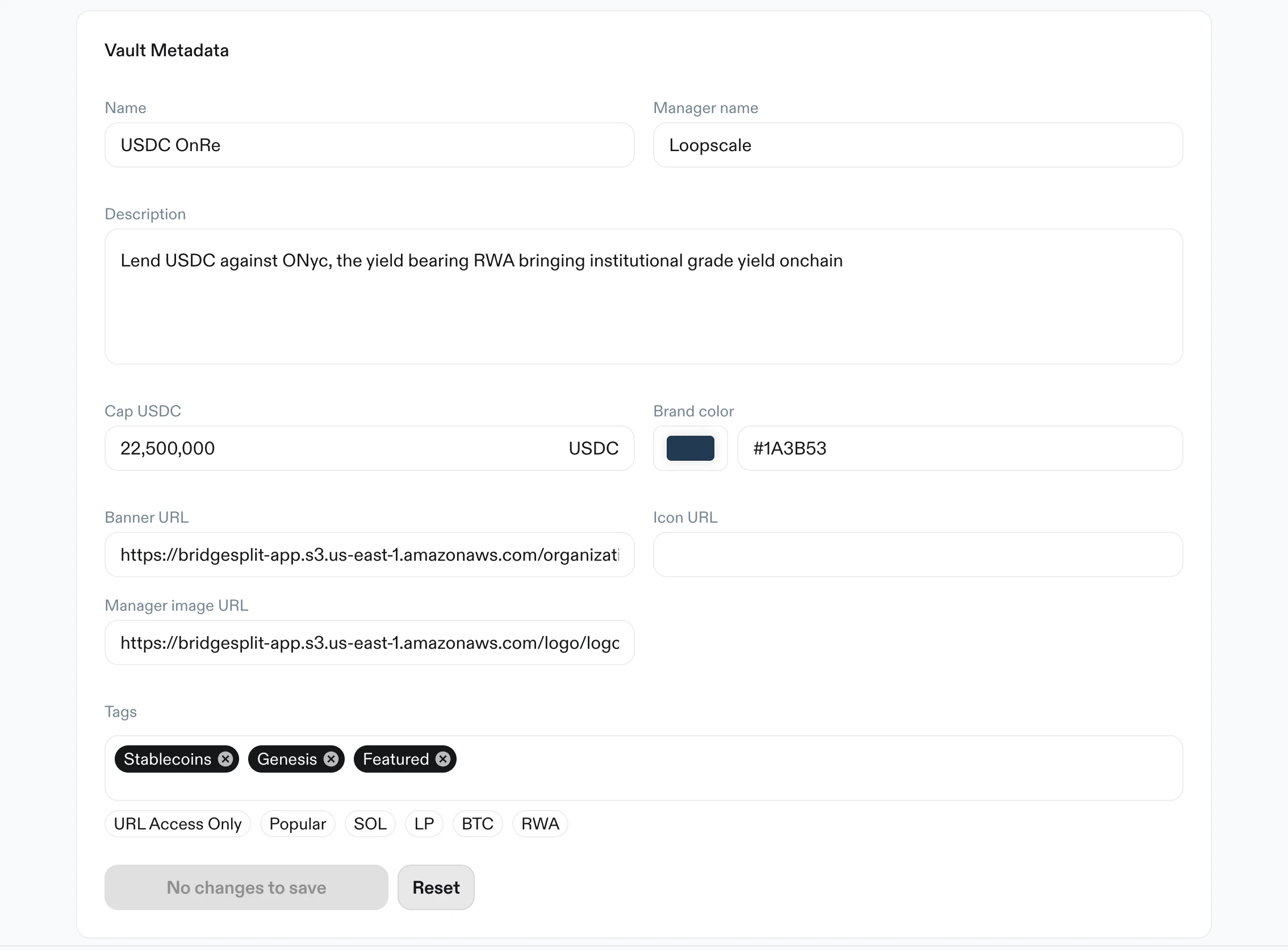 *Vault metadata editor with branding, links, tags, and save/reset controls.*
## Collateral
Purpose: define allowed collateral assets and core risk limits per asset.
Key elements:
* Warning: increasing LTV triggers a 24-hour cooldown
* `+ Add collateral` action
* Search and filter controls
* Table fields per token:
* `LTV`
* `Liquidation LTV`
* Delete action
* Add-collateral modal:
* category and custom views
* token/address search
* multi-select with `Clear`, `All`, and `Confirm selection`
*Vault metadata editor with branding, links, tags, and save/reset controls.*
## Collateral
Purpose: define allowed collateral assets and core risk limits per asset.
Key elements:
* Warning: increasing LTV triggers a 24-hour cooldown
* `+ Add collateral` action
* Search and filter controls
* Table fields per token:
* `LTV`
* `Liquidation LTV`
* Delete action
* Add-collateral modal:
* category and custom views
* token/address search
* multi-select with `Clear`, `All`, and `Confirm selection`
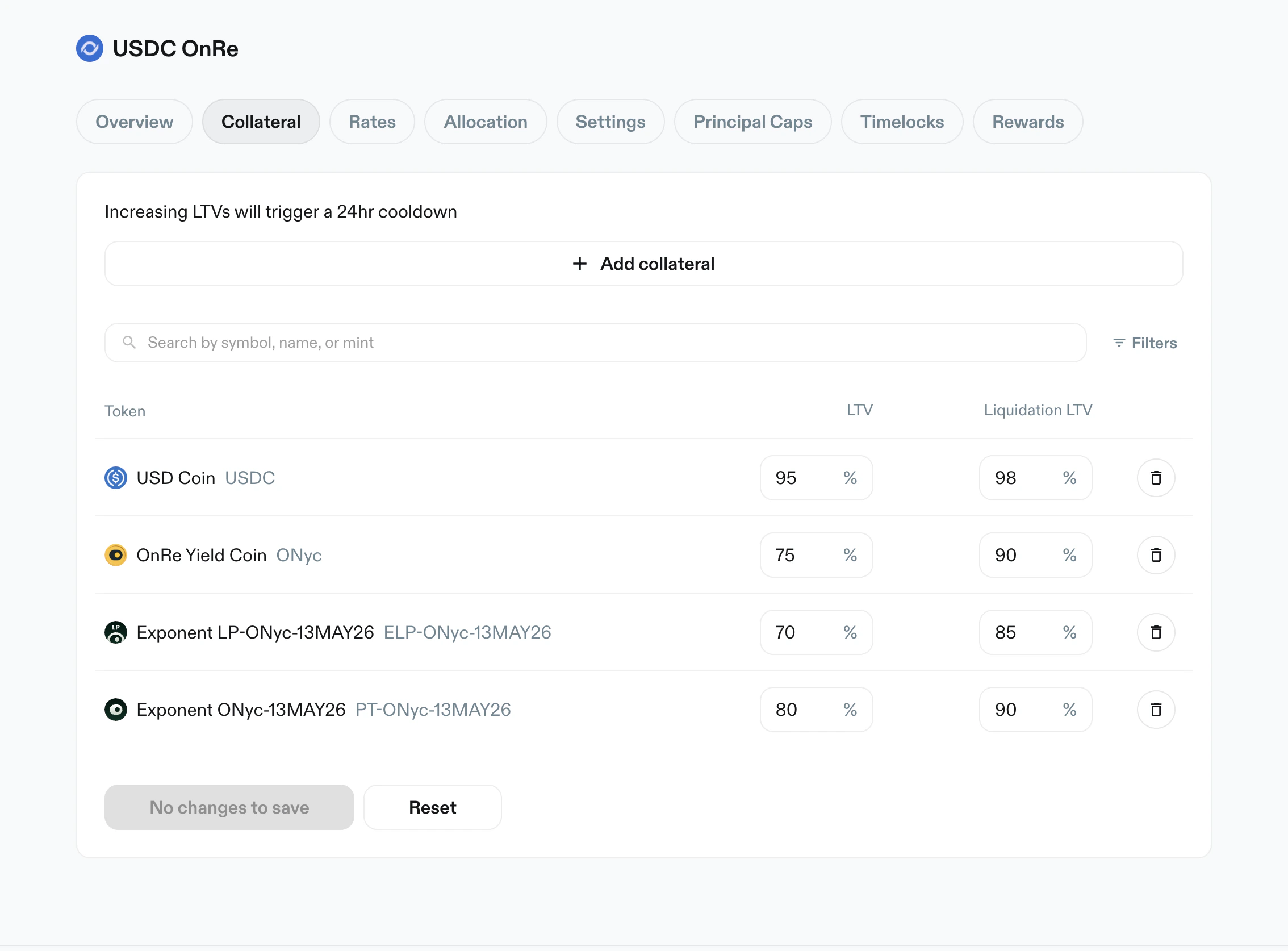 *Collateral table with token list and editable `LTV` and `Liquidation LTV` values.*
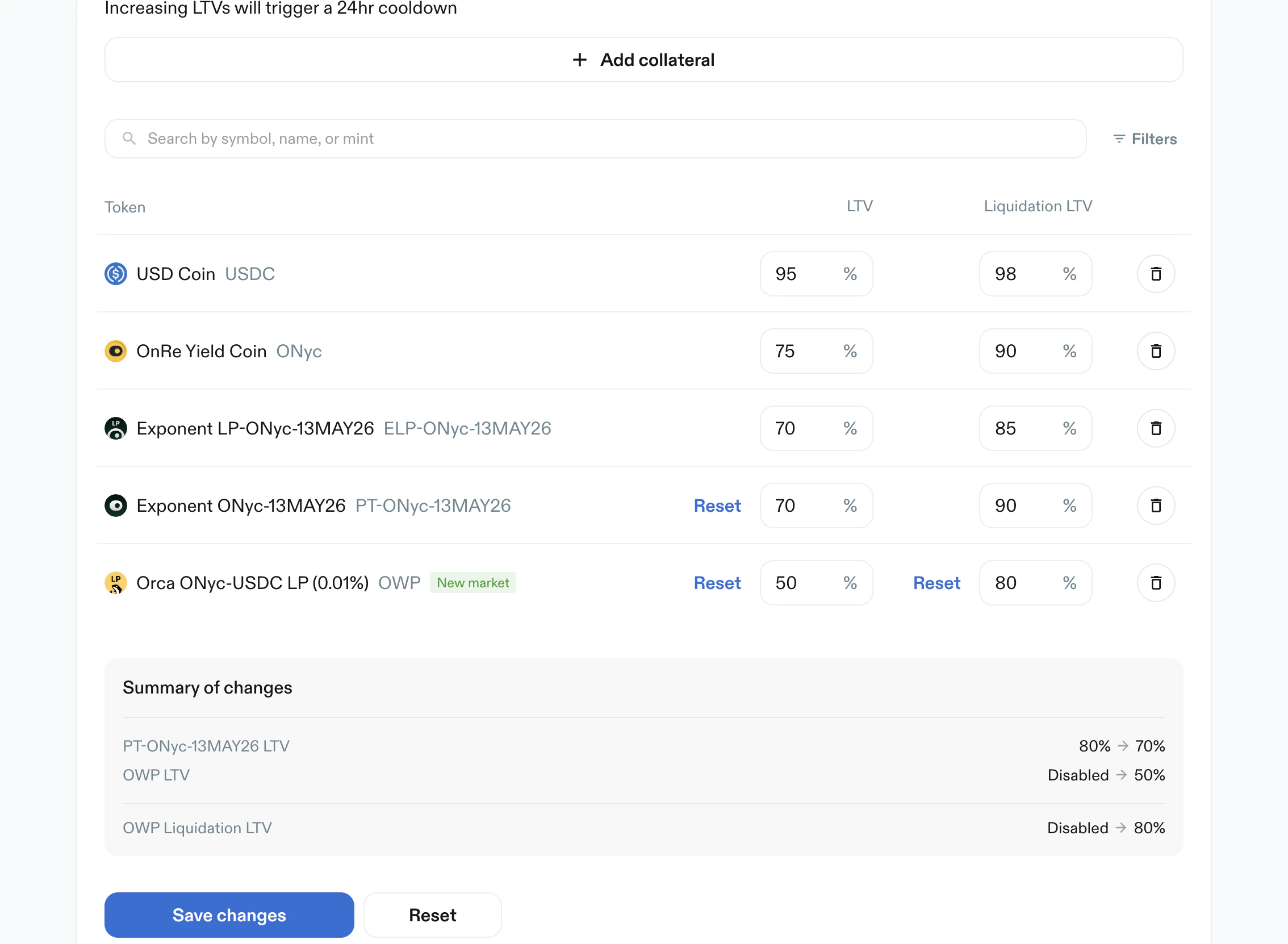 *Collateral edits with per-row reset, summarized diff, and `Save changes` action.*
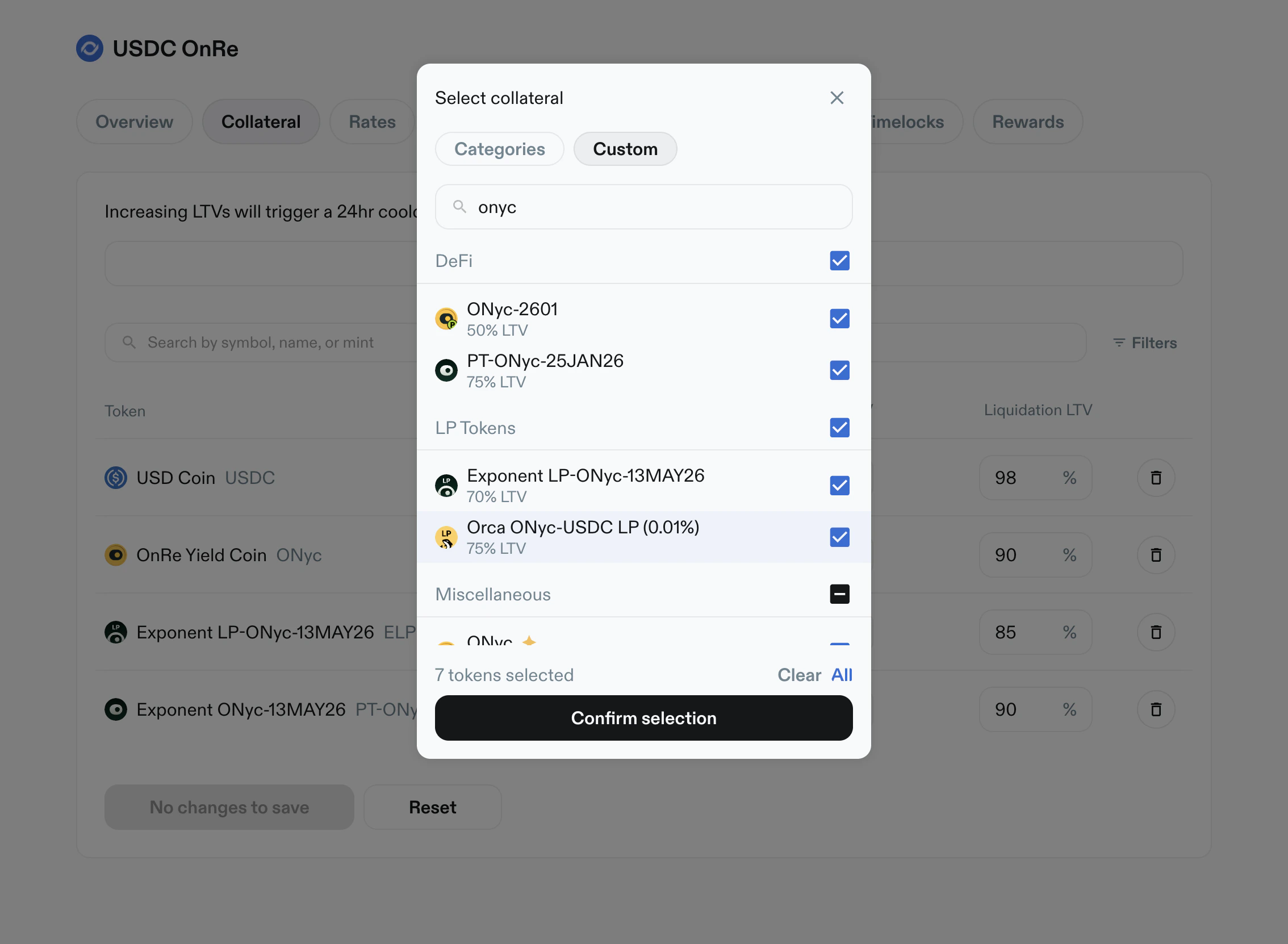 *Add Collateral modal with category tabs, token search, multi-select, and confirm action.*
## Rates
Purpose: set APY by token and tenor.
Key elements:
* Search and filters
* Token table with tenor columns:
* `1 day APY`
* `1 week APY`
* `1 month APY`
* `3 months APY`
* Each tenor can be set to:
* a numeric percent value
* `Disabled`
*Add Collateral modal with category tabs, token search, multi-select, and confirm action.*
## Rates
Purpose: set APY by token and tenor.
Key elements:
* Search and filters
* Token table with tenor columns:
* `1 day APY`
* `1 week APY`
* `1 month APY`
* `3 months APY`
* Each tenor can be set to:
* a numeric percent value
* `Disabled`
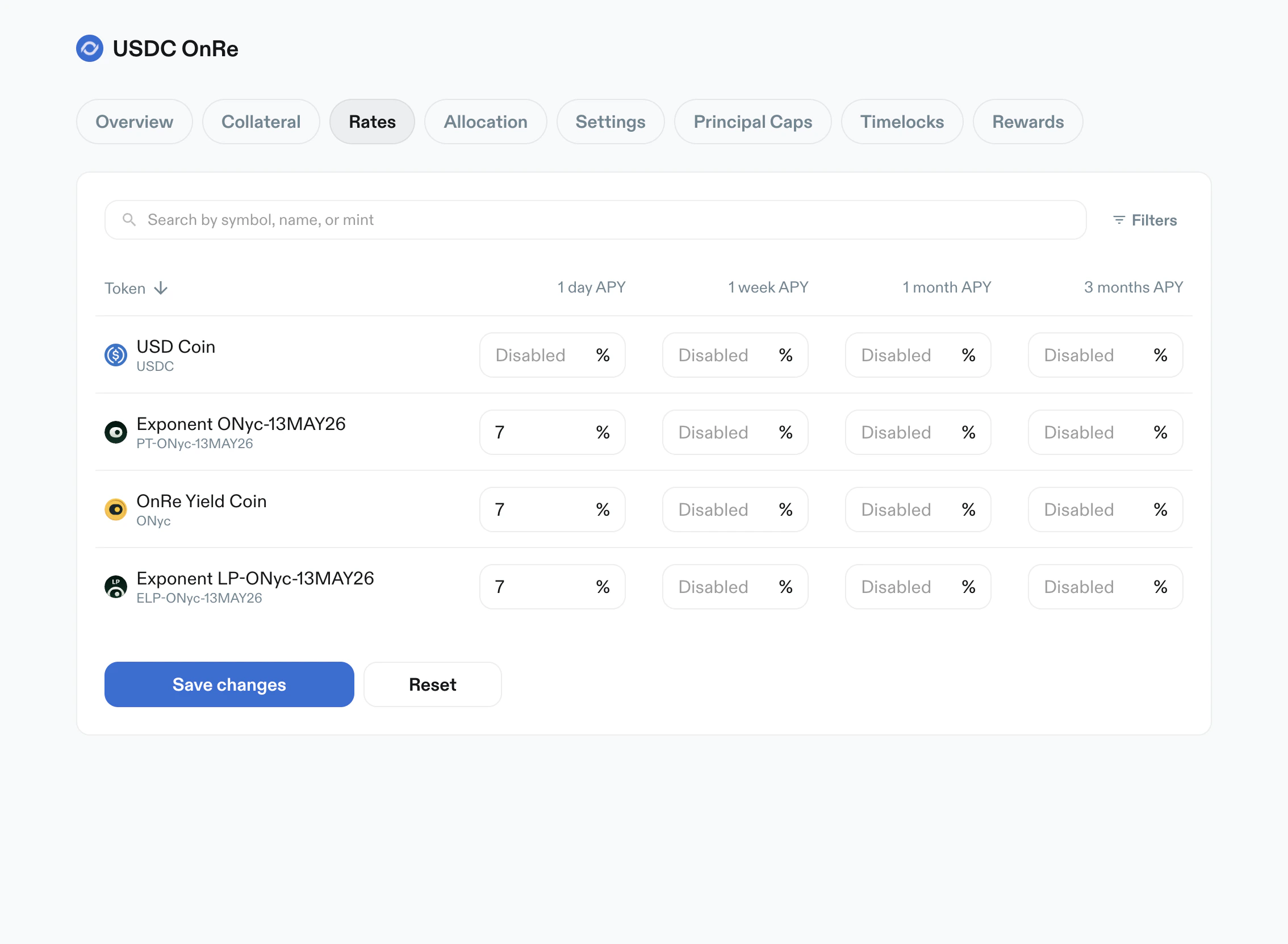 *Rates table with APY controls across 1 day, 1 week, 1 month, and 3 month tenors.*
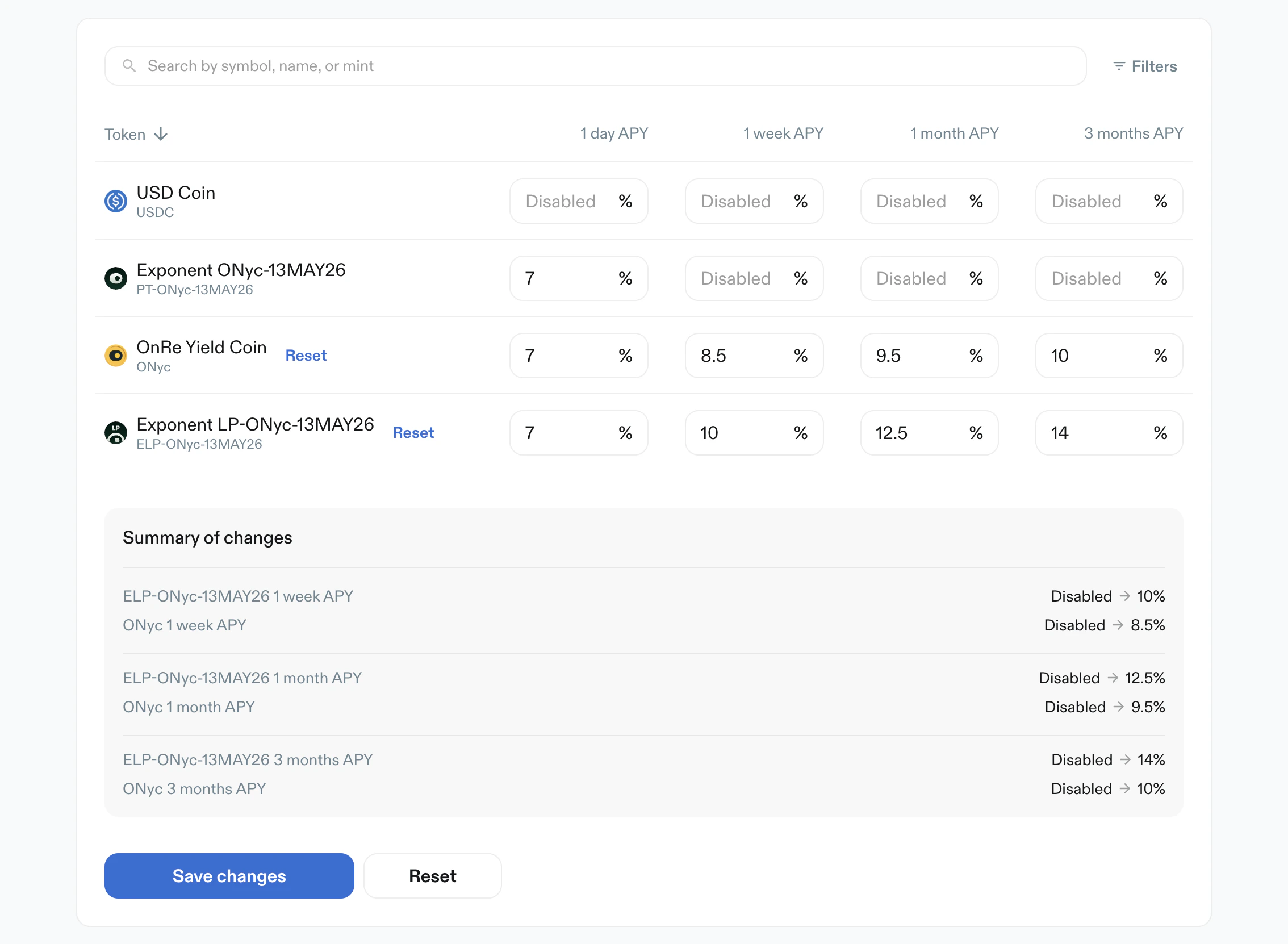 *Rates edits summarized before save, including transitions from `Disabled` to active APY values.*
## Allocation
Purpose: cap max allocation per token.
Key elements:
* Warning: increasing allocation triggers a 24-hour cooldown
* Search and filters
* `Max Allocation %` per token
* Values can be numeric or `Disabled`
* Primary action: `Create Limits`
*Rates edits summarized before save, including transitions from `Disabled` to active APY values.*
## Allocation
Purpose: cap max allocation per token.
Key elements:
* Warning: increasing allocation triggers a 24-hour cooldown
* Search and filters
* `Max Allocation %` per token
* Values can be numeric or `Disabled`
* Primary action: `Create Limits`
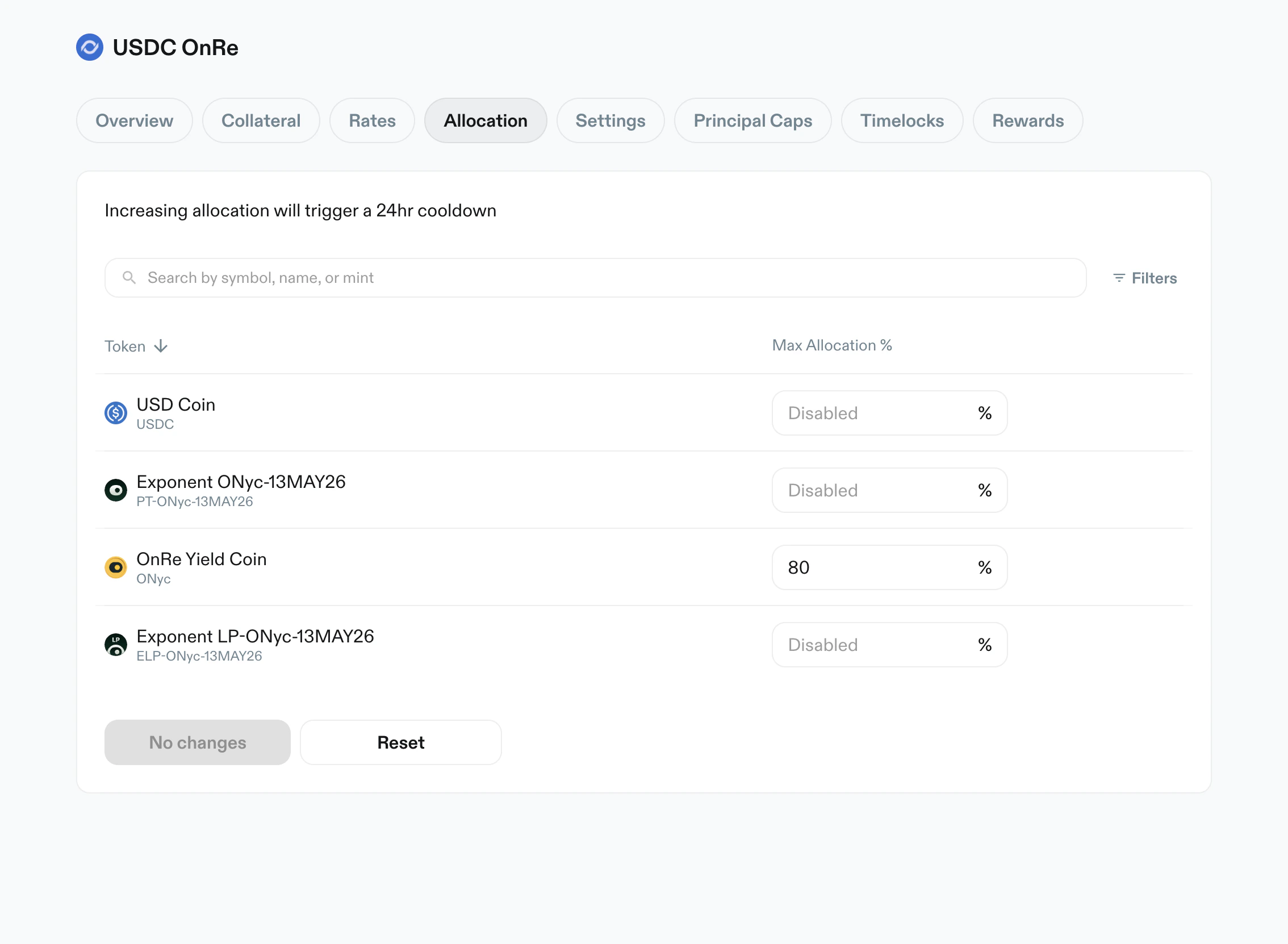 *Allocation table with per-token maximum allocation controls.*
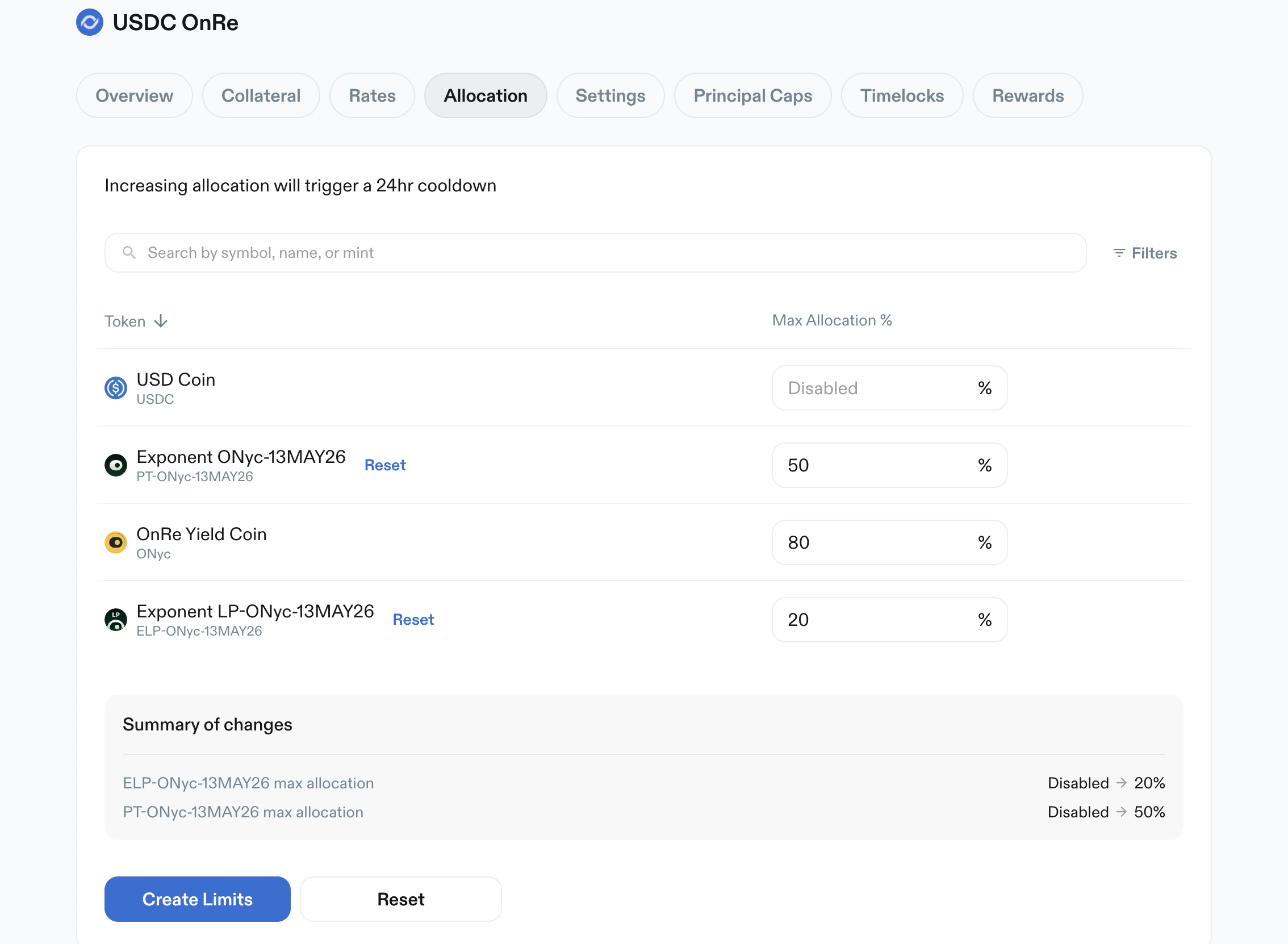 *Allocation updates with pending changes summary and `Create Limits` apply action.*
## Settings
Purpose: configure vault-level operating and fee behavior.
Key elements:
* Warning: settings changes take effect immediately
* `Originations status`: `Accepting` or `Closed`
* `Idle capital` routing (for example `MarginFi` or `None`)
* Editable rate and fee fields:
* `Liquidity buffer`
* `Origination fee`
* `Interest fee`
* `Max early unstake fee`
* `Max origination size` with principal symbol suffix (e.g. USDC)
* Operational actions:
* `Disable vault deposits`
* fee claim state (`No fee to claim` when unavailable)
*Allocation updates with pending changes summary and `Create Limits` apply action.*
## Settings
Purpose: configure vault-level operating and fee behavior.
Key elements:
* Warning: settings changes take effect immediately
* `Originations status`: `Accepting` or `Closed`
* `Idle capital` routing (for example `MarginFi` or `None`)
* Editable rate and fee fields:
* `Liquidity buffer`
* `Origination fee`
* `Interest fee`
* `Max early unstake fee`
* `Max origination size` with principal symbol suffix (e.g. USDC)
* Operational actions:
* `Disable vault deposits`
* fee claim state (`No fee to claim` when unavailable)
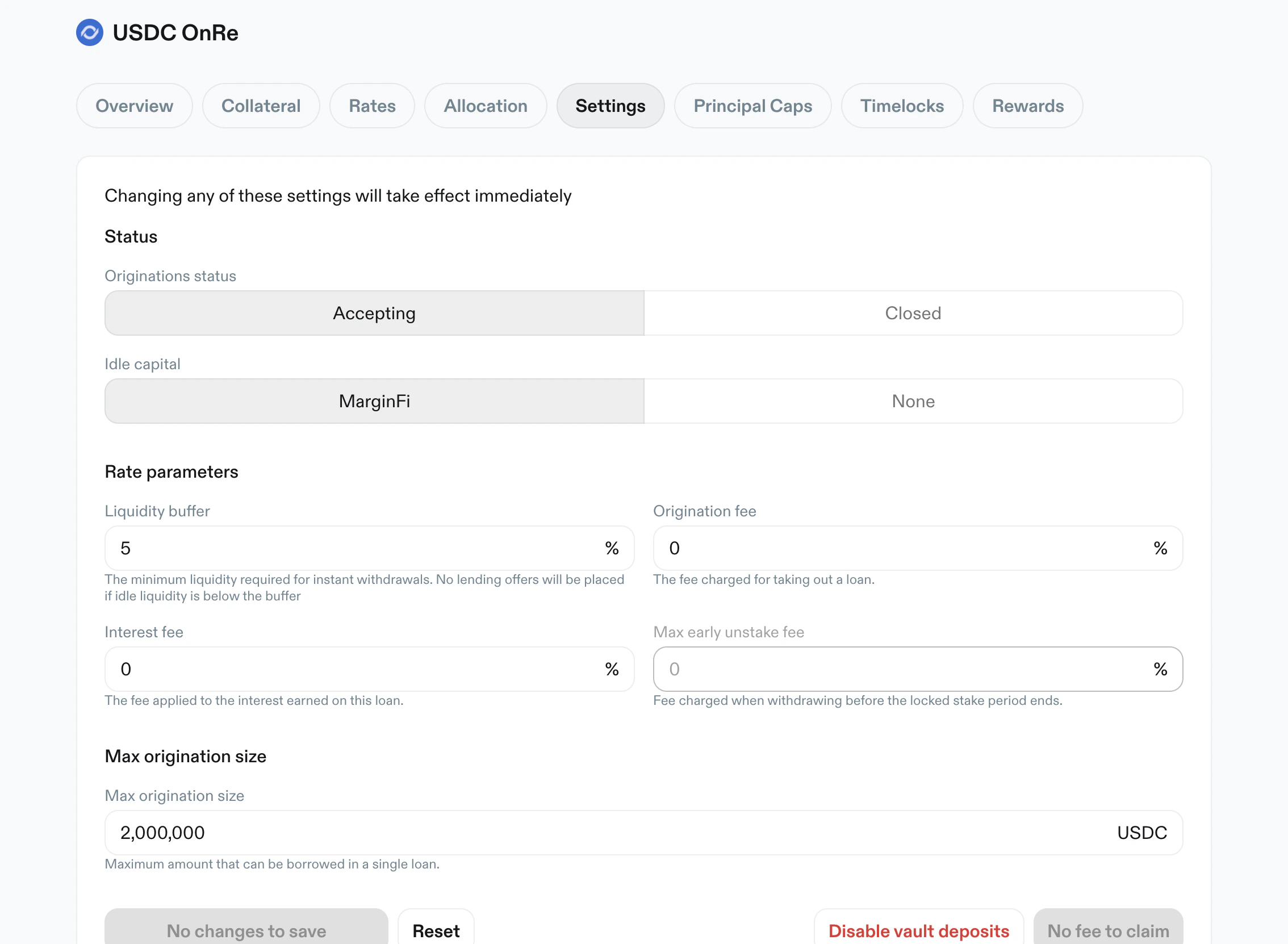 *Settings tab in default state with status toggles and fee/risk parameters.*
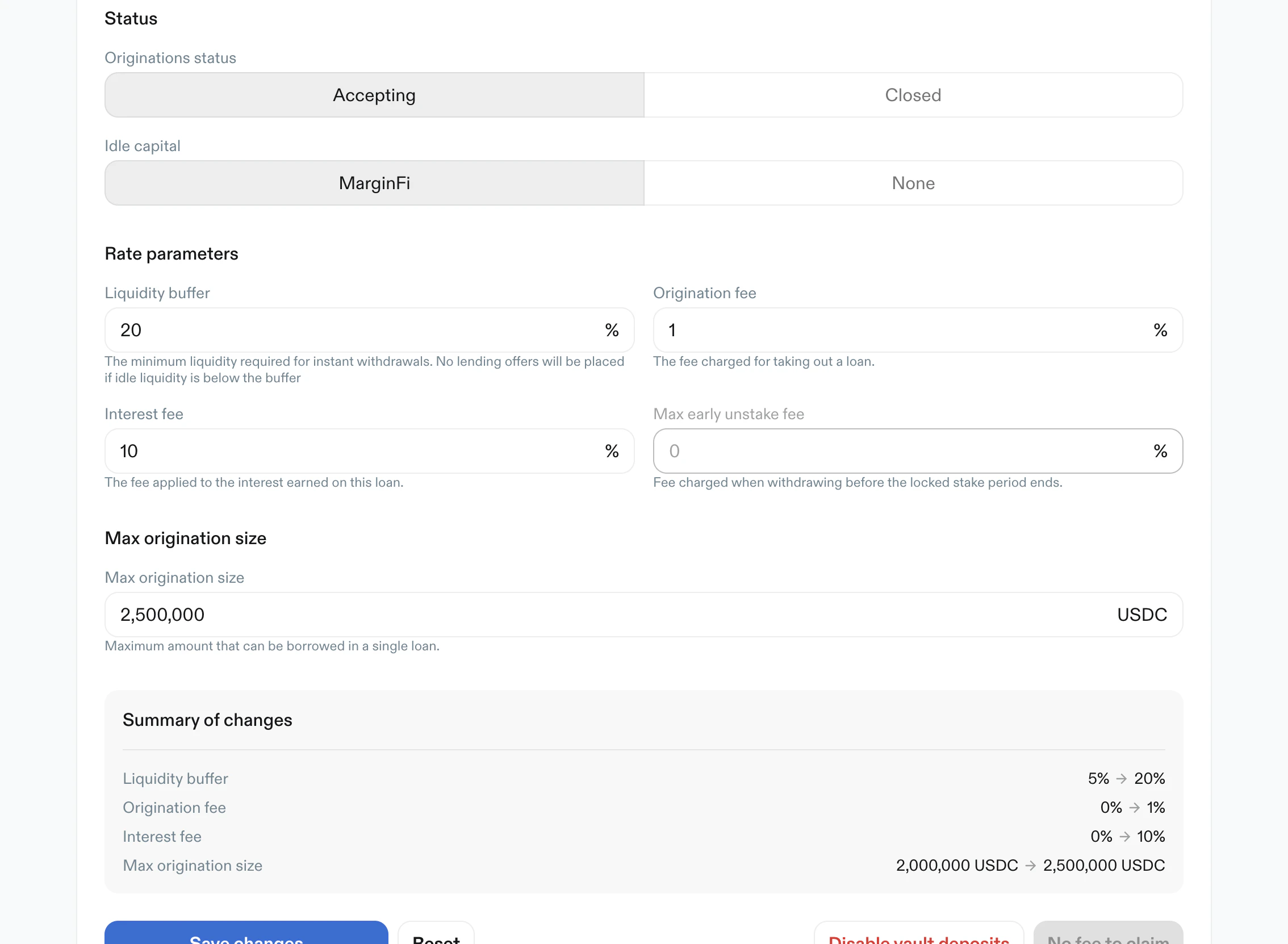 *Settings tab with pending updates and a detailed summary of parameter changes.*
## Principal Caps
Purpose: control borrow/supply/withdraw throughput over rolling windows.
Key elements:
* Scope toggle:
* `Borrow`
* `Supply`
* `Withdraw`
* Typical cap inputs:
* `Max 1hr`
* `Max 24hr`
* optional max outstanding cap
* `Disabled` is supported for unset caps
* Usage progress bars show utilized value and percentage for active caps
* Primary action: `Create Principal Caps`
*Settings tab with pending updates and a detailed summary of parameter changes.*
## Principal Caps
Purpose: control borrow/supply/withdraw throughput over rolling windows.
Key elements:
* Scope toggle:
* `Borrow`
* `Supply`
* `Withdraw`
* Typical cap inputs:
* `Max 1hr`
* `Max 24hr`
* optional max outstanding cap
* `Disabled` is supported for unset caps
* Usage progress bars show utilized value and percentage for active caps
* Primary action: `Create Principal Caps`
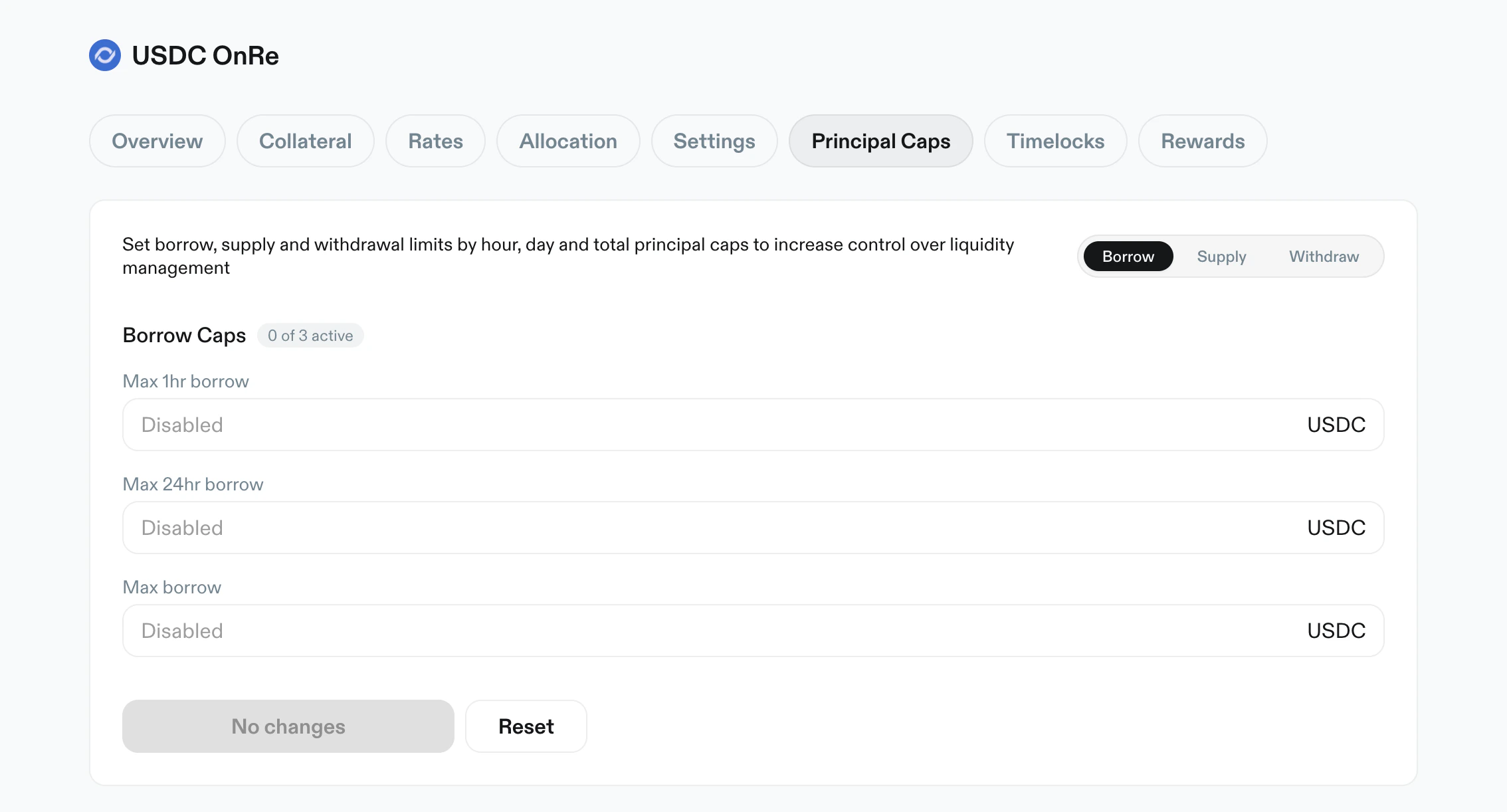 *Principal Caps in Borrow mode, including active cap utilization bars and disabled cap state.*
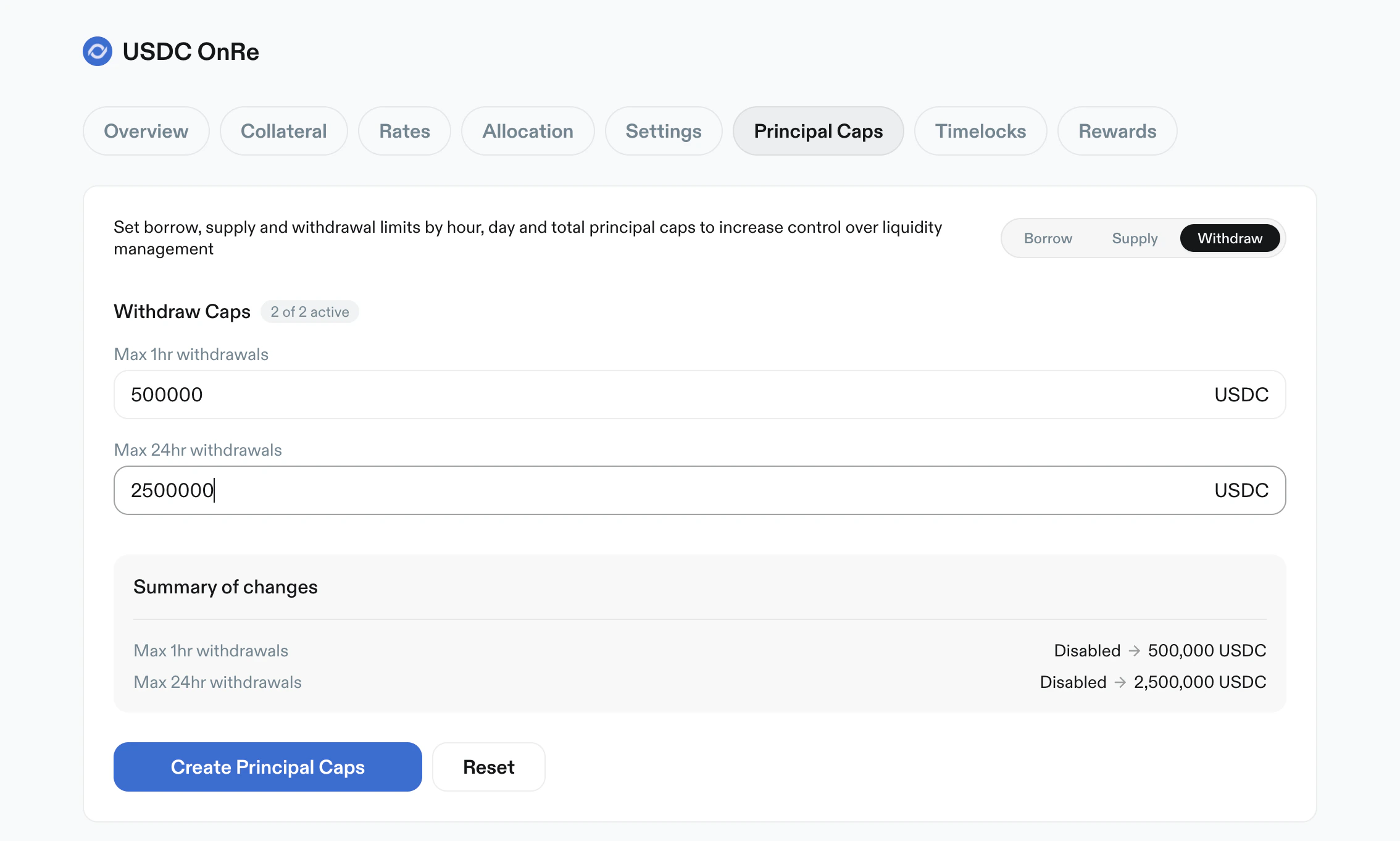 *Principal Caps in Withdraw mode with new limits staged and summarized before apply.*
## Timelocks
Purpose: inspect and filter scheduled and historical manager actions.
Key elements:
* Status filters:
* `Pending`
* `Executed`
* `Cancelled`
* `Include Instant` filter
* Entry cards include:
* status badge
* action type badge (e.g. `Update LTV`, `Add Collateral`)
* shortened reference
* relative and absolute timestamps
* expand/collapse caret
*Principal Caps in Withdraw mode with new limits staged and summarized before apply.*
## Timelocks
Purpose: inspect and filter scheduled and historical manager actions.
Key elements:
* Status filters:
* `Pending`
* `Executed`
* `Cancelled`
* `Include Instant` filter
* Entry cards include:
* status badge
* action type badge (e.g. `Update LTV`, `Add Collateral`)
* shortened reference
* relative and absolute timestamps
* expand/collapse caret
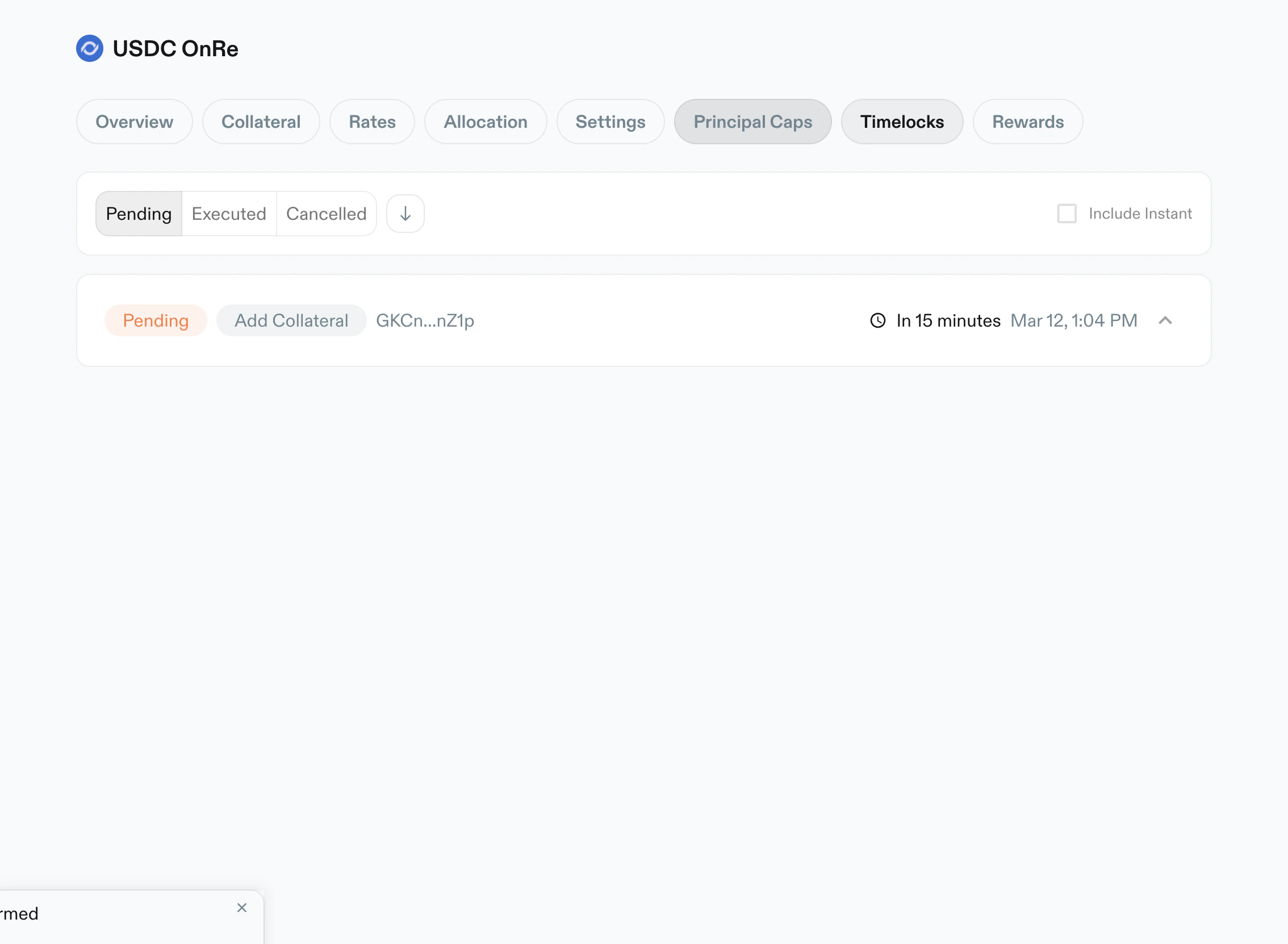 *Timelocks filtered to `Pending`, showing scheduled updates and time remaining.*
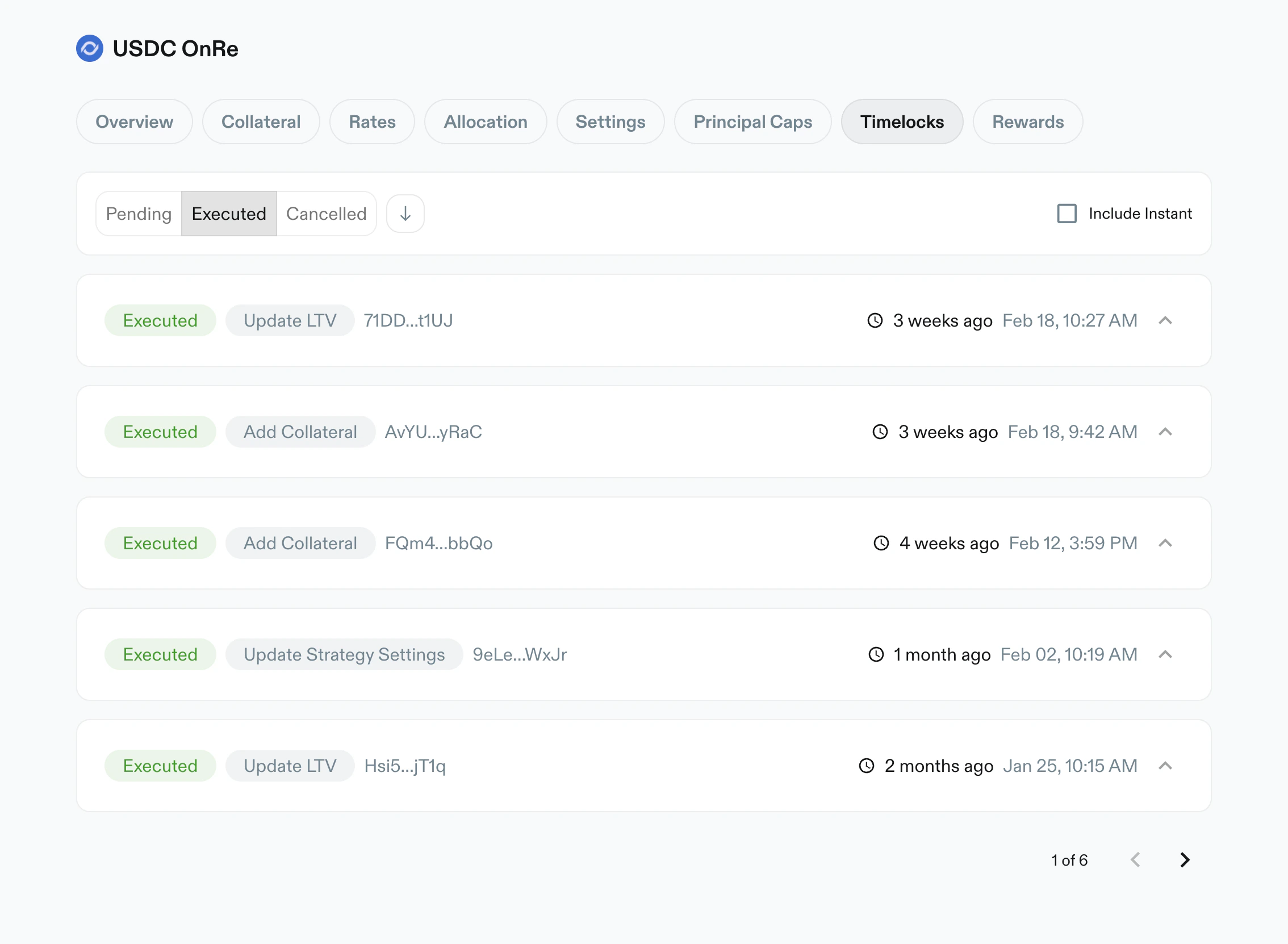 *Timelocks filtered to `Executed`, listing completed manager actions with timestamps.*
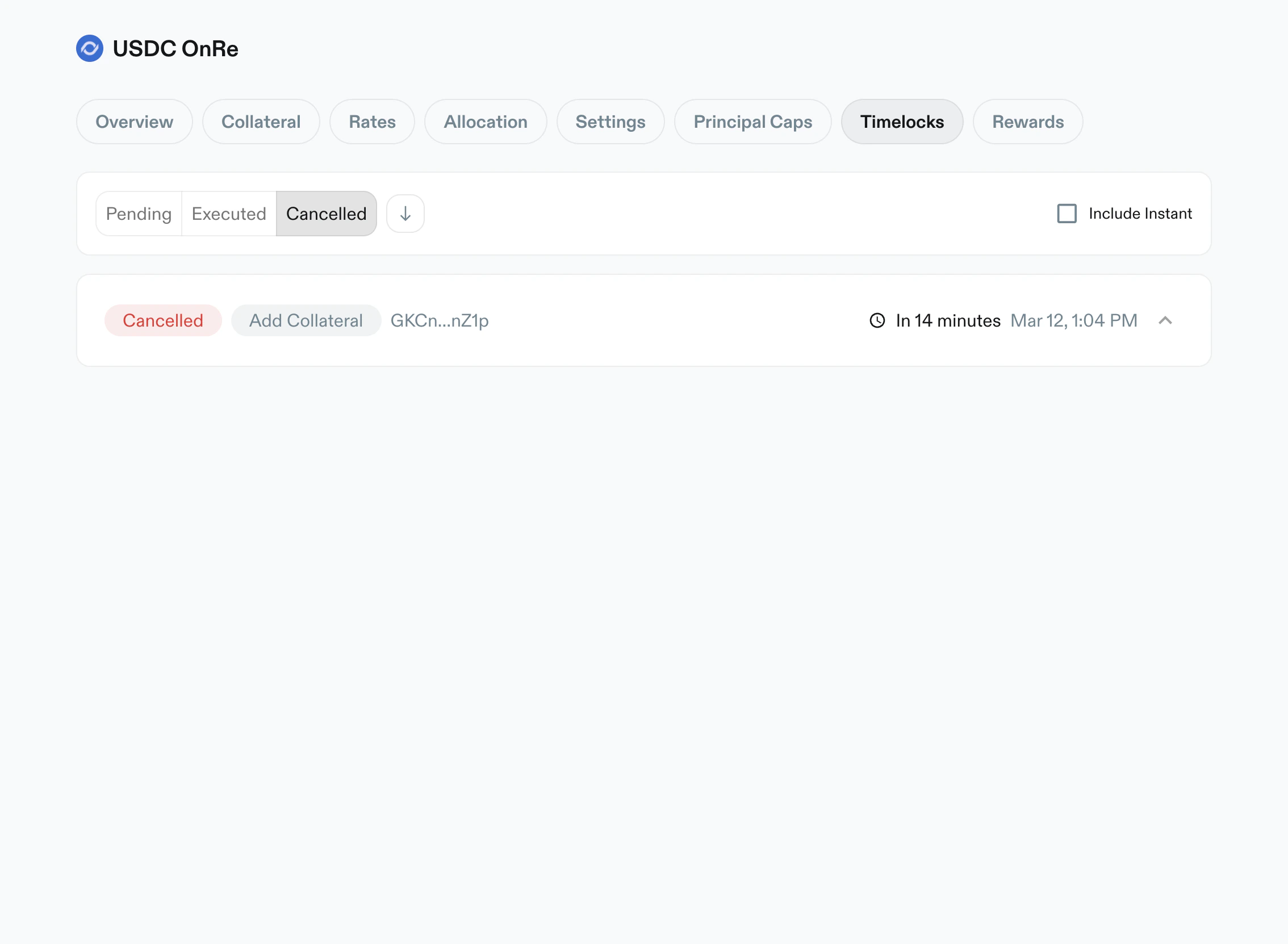 *Timelocks filtered to `Cancelled`, showing aborted actions and history metadata.*
## Rewards
Purpose: manage reward schedules and emissions for vault depositors.
Key elements:
* Search by token/address
* `+ Add rewards` action
* Rewards table columns:
* `Rewards`
* `Emitted`
* `Claimed`
* `Start`
* `End`
* row action (`Edit`)
* Add Rewards modal:
* token search
* selectable wallet token list with amount and USD estimate
* Edit Rewards modal:
* reward token summary and wallet balance
* editable schedule end time
* computed change preview (undistributed rewards, end time, emissions/week)
* warning/info banners for historical schedule edits
*Timelocks filtered to `Cancelled`, showing aborted actions and history metadata.*
## Rewards
Purpose: manage reward schedules and emissions for vault depositors.
Key elements:
* Search by token/address
* `+ Add rewards` action
* Rewards table columns:
* `Rewards`
* `Emitted`
* `Claimed`
* `Start`
* `End`
* row action (`Edit`)
* Add Rewards modal:
* token search
* selectable wallet token list with amount and USD estimate
* Edit Rewards modal:
* reward token summary and wallet balance
* editable schedule end time
* computed change preview (undistributed rewards, end time, emissions/week)
* warning/info banners for historical schedule edits
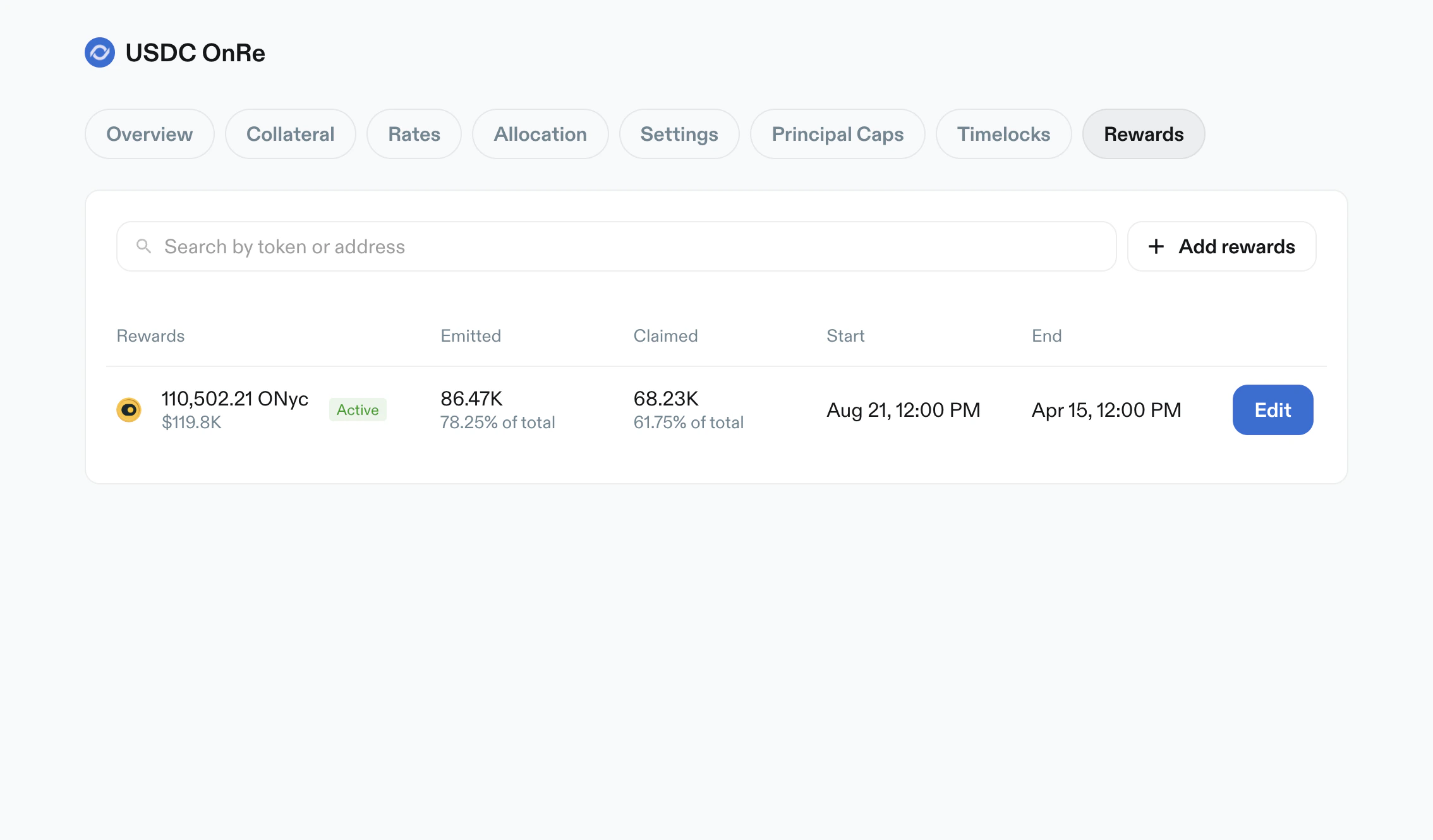 *Rewards tab with active/inactive schedules, emitted/claimed totals, and edit controls.*
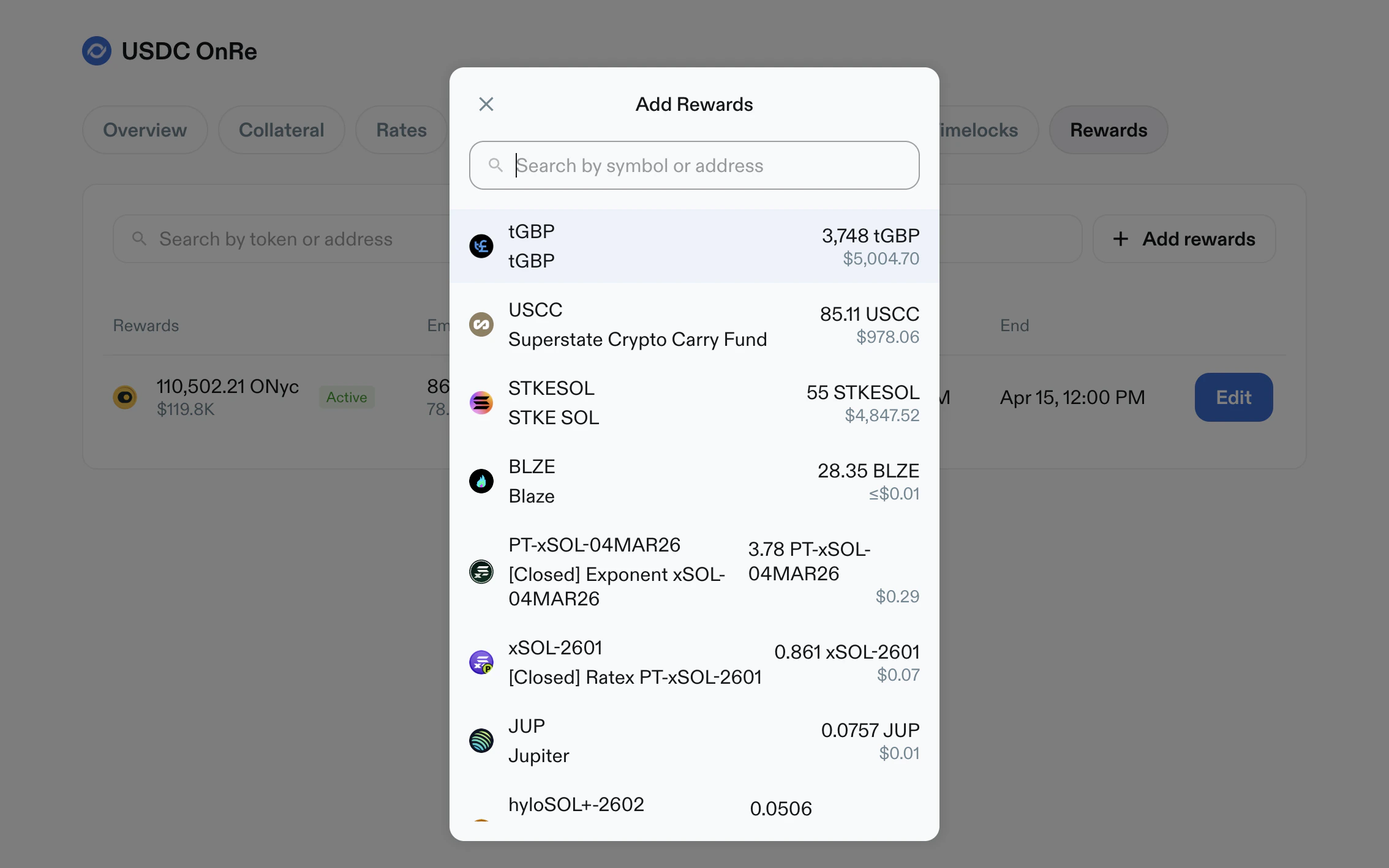 *Add Rewards modal with token search and selectable wallet inventory.*
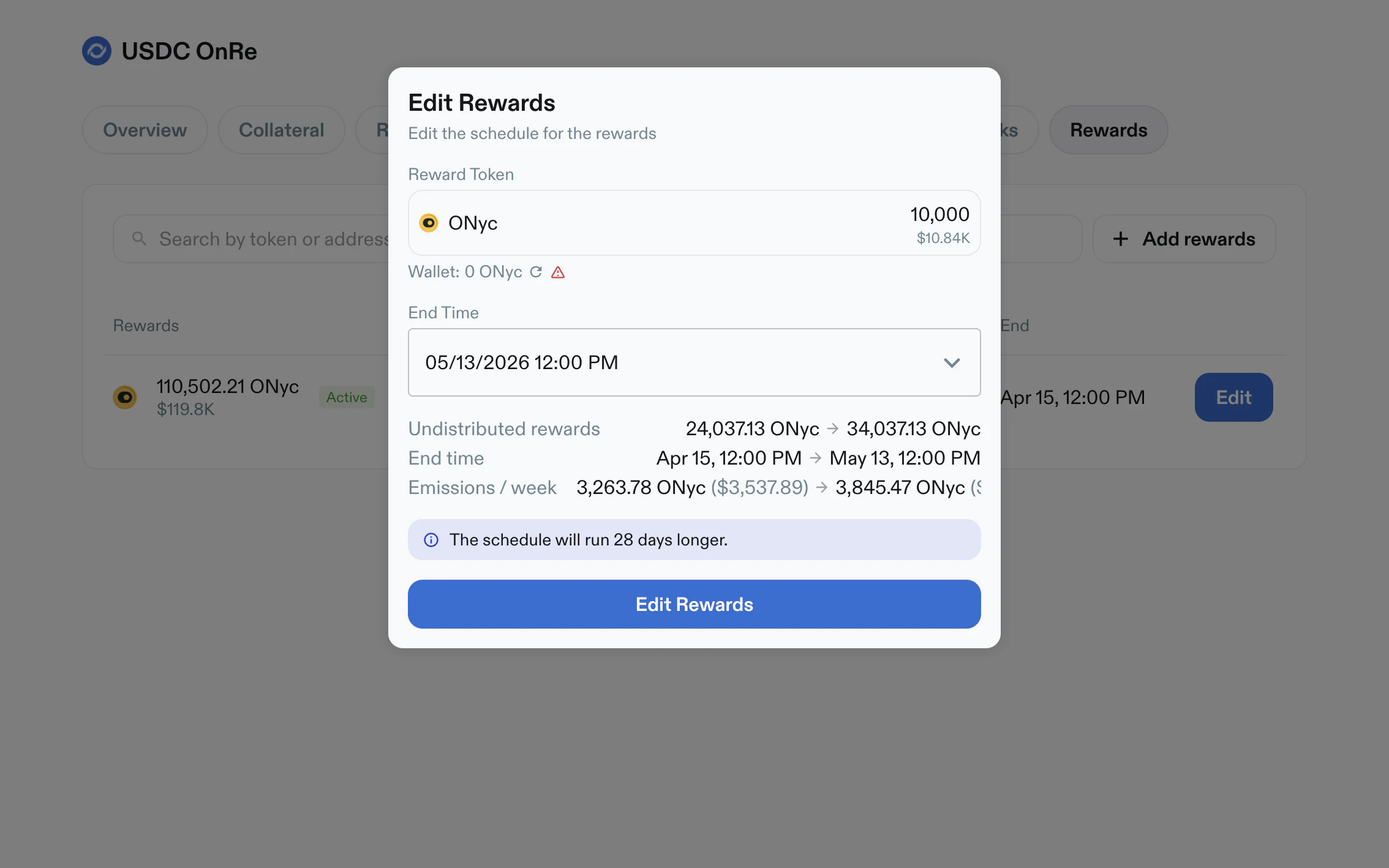 *Edit Rewards modal with end-time adjustment, projected schedule changes, and contextual warnings.*
## Operational Notes
* Higher-risk changes are surfaced through cooldown and timelock flows.
* Unsaved edits are explicitly summarized before apply.
* Disabled states are represented in-table (for example `Disabled` caps or APY tenors).
* Pagination appears in large lists (collateral, rates, allocation, timelocks).
*Edit Rewards modal with end-time adjustment, projected schedule changes, and contextual warnings.*
## Operational Notes
* Higher-risk changes are surfaced through cooldown and timelock flows.
* Unsaved edits are explicitly summarized before apply.
* Disabled states are represented in-table (for example `Disabled` caps or APY tenors).
* Pagination appears in large lists (collateral, rates, allocation, timelocks).